See what your restock alerts win back.
See the orders and revenue your alerts bring back, what shoppers are waiting for, and what to reorder next.
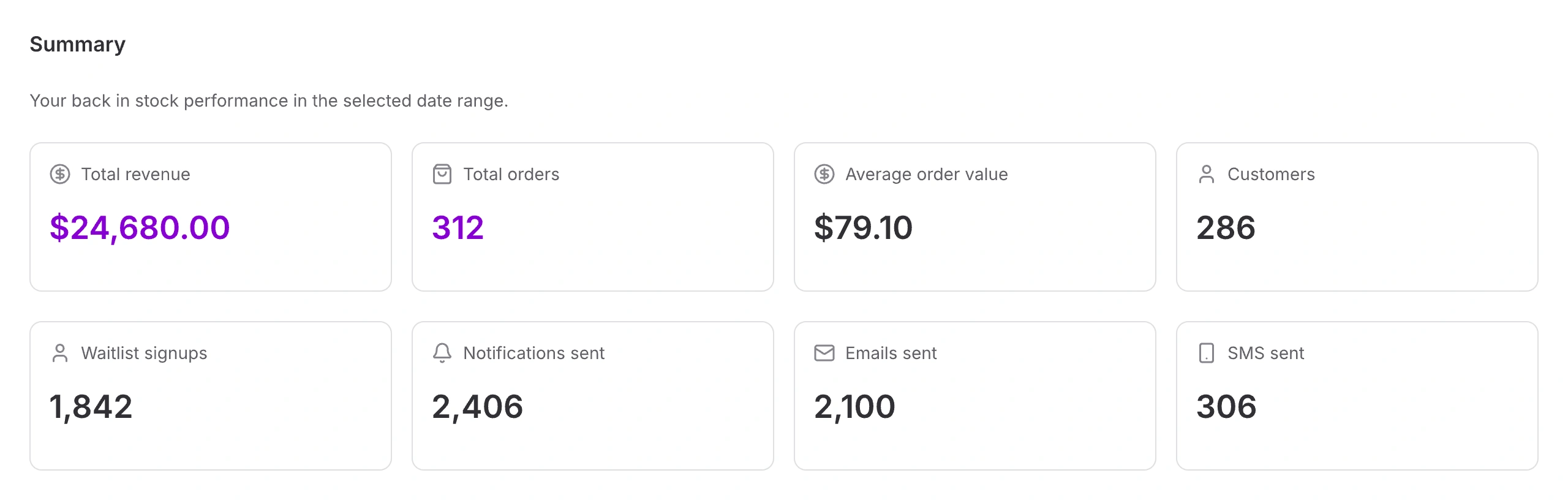
Summary
Total revenue
US$24,680
Total orders
312
Your back in stock performance · Last 30 days
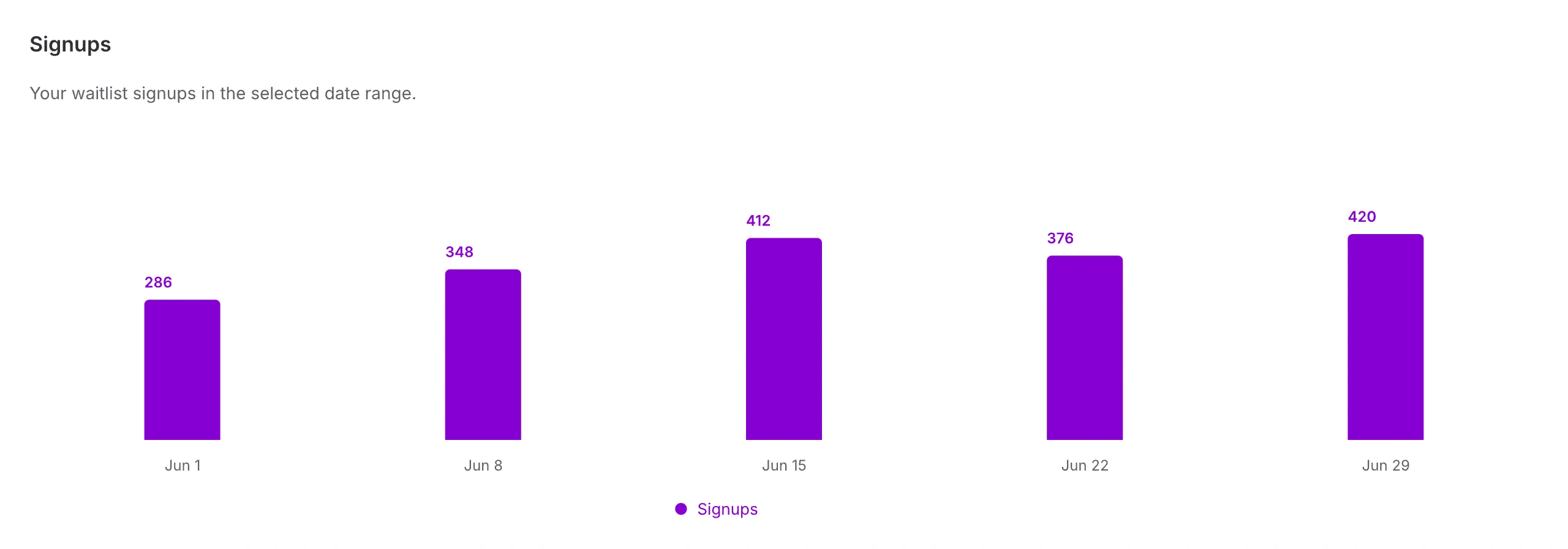
Signups
1,842
Waitlist signups
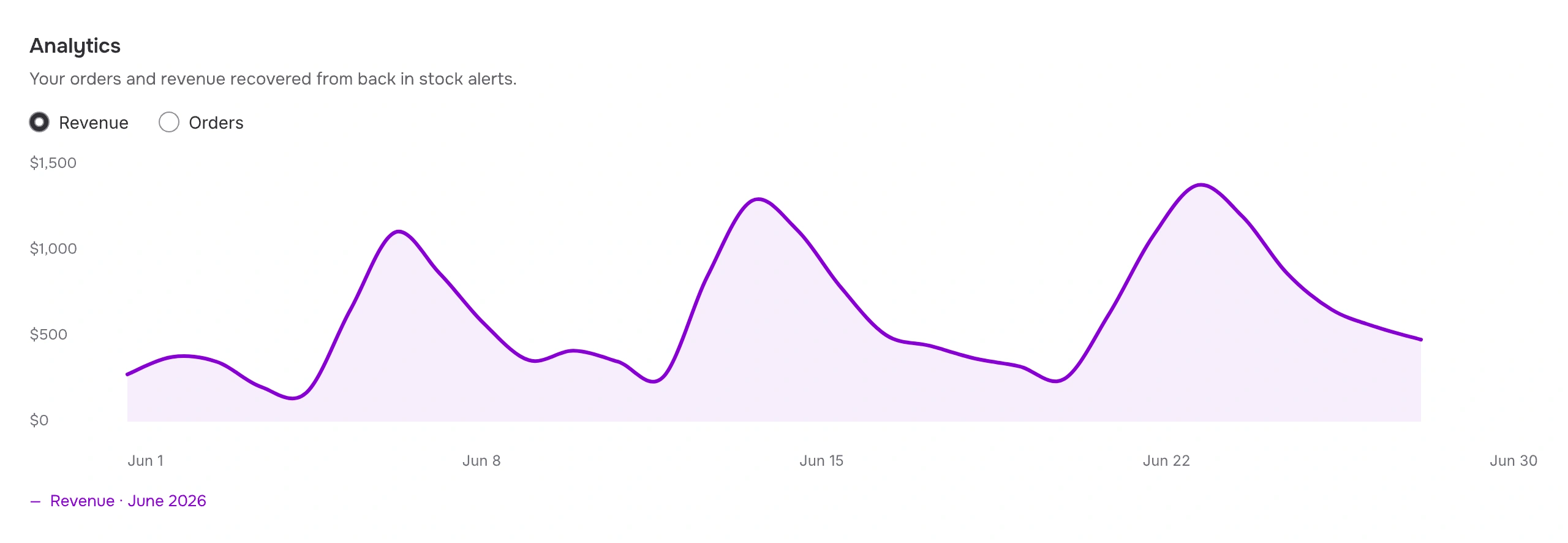
Analytics
US$24,680
Revenue recovered from restock alerts
312 orders
Jun 1
Jun 30
Trusted by 30,000+

stores around the world


























Everyday Tote
$70.00
Sold out
Notify me when available
A familiar question
“When’s it back?”
Restock alert sent
But did it bring them back?
The alert went out. Then what?
Sound like your store?
Your bestsellers sell out. Customers keep asking “when’s it back?” You send a restock email — and then you’re guessing whether it did anything.
You reorder on gut feel and either sell out again or overbuy.
What you actually want to know:
01
Did it bring back orders?
02
How much money?
03
What should I reorder?
Understand your results
See what your restock alerts bring back
Start with the big picture. Then explore the sales, signups, and notifications behind it.
Overview
Your back in stock performance, in one place.
Decide what to restock
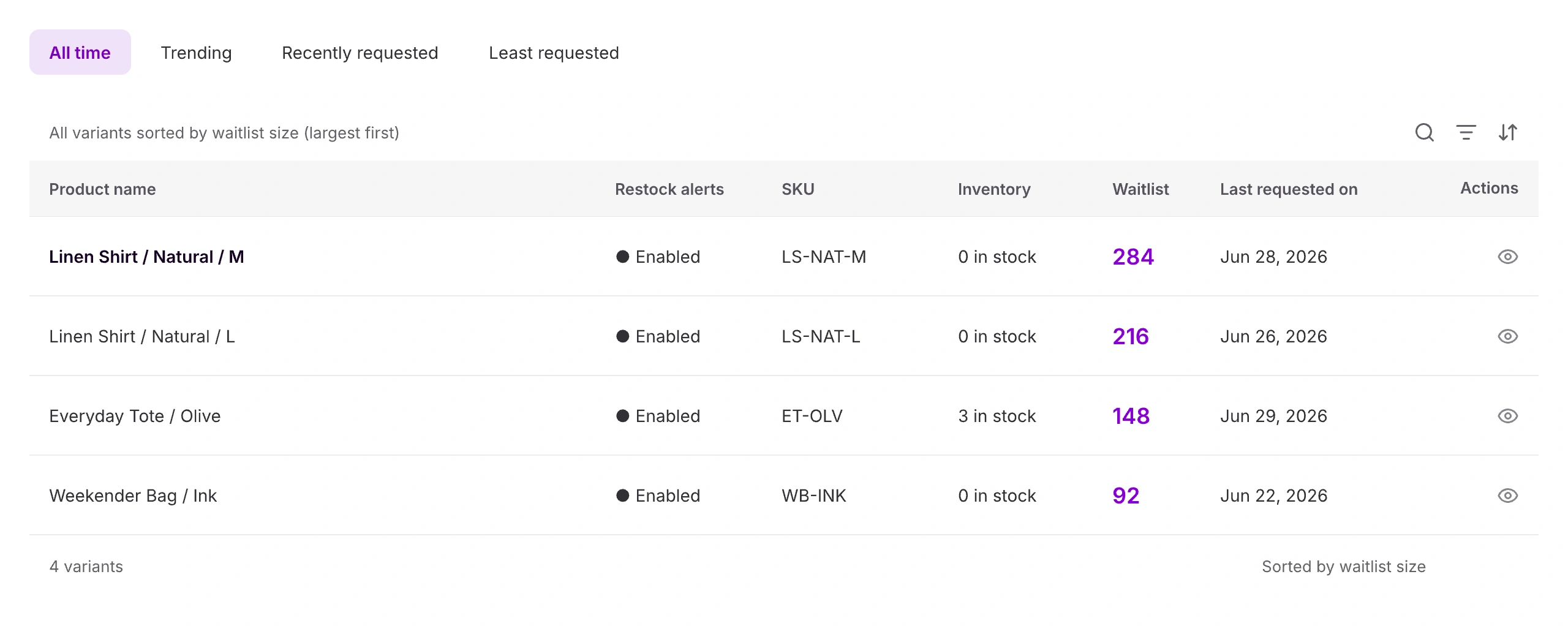
Know what to reorder next
Compare button engagement, ranked waitlists, and product revenue before your next reorder.
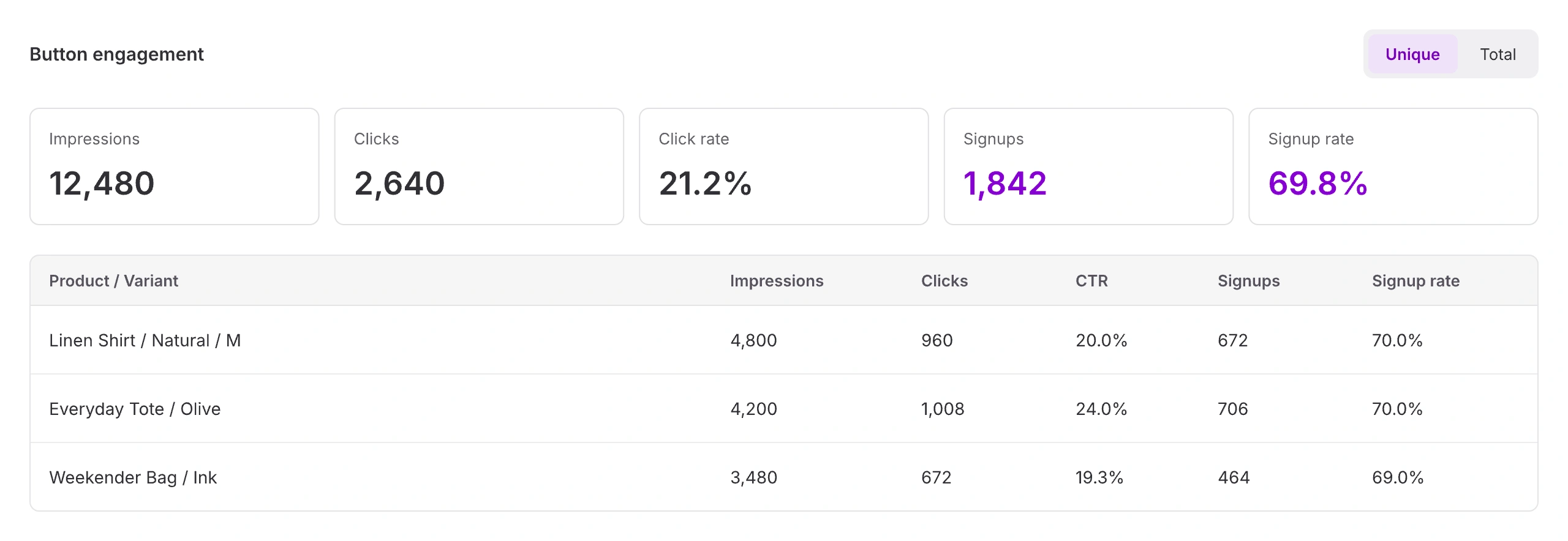
Products / Engagement
See how interest becomes signups
Compare impressions, clicks, and signups by product and variant—not just across your store.
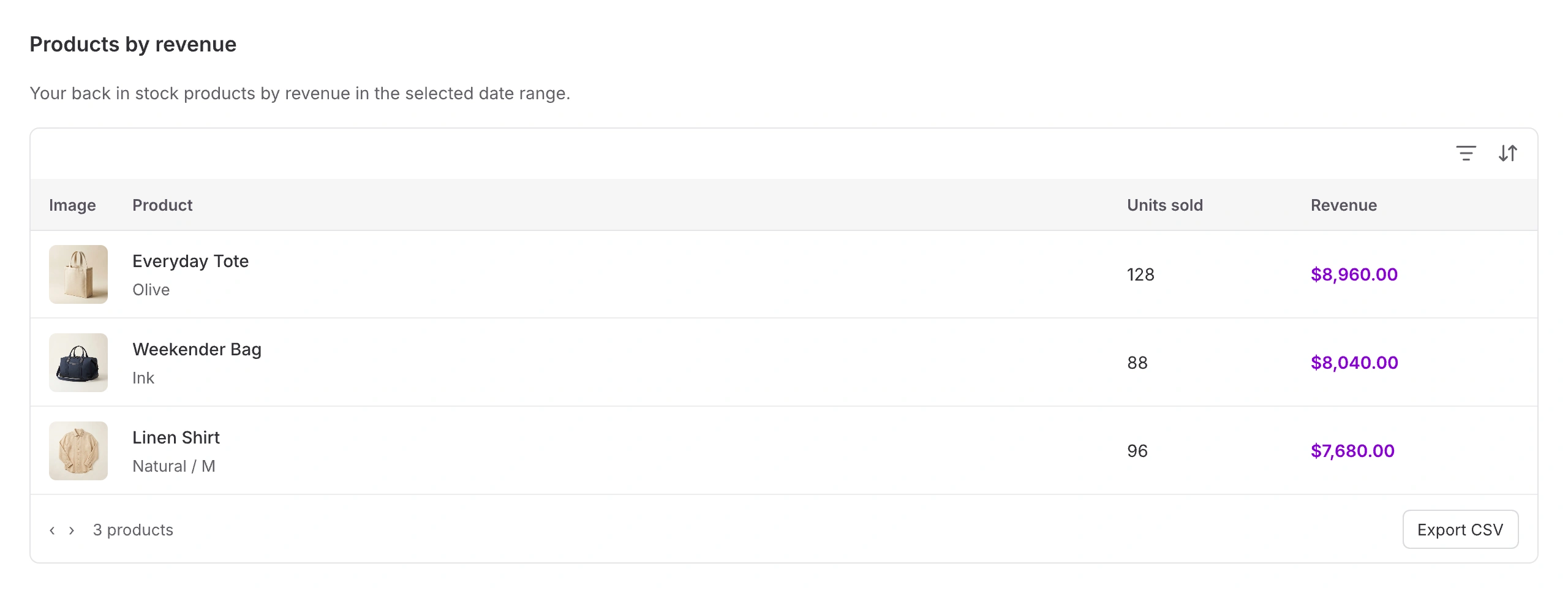
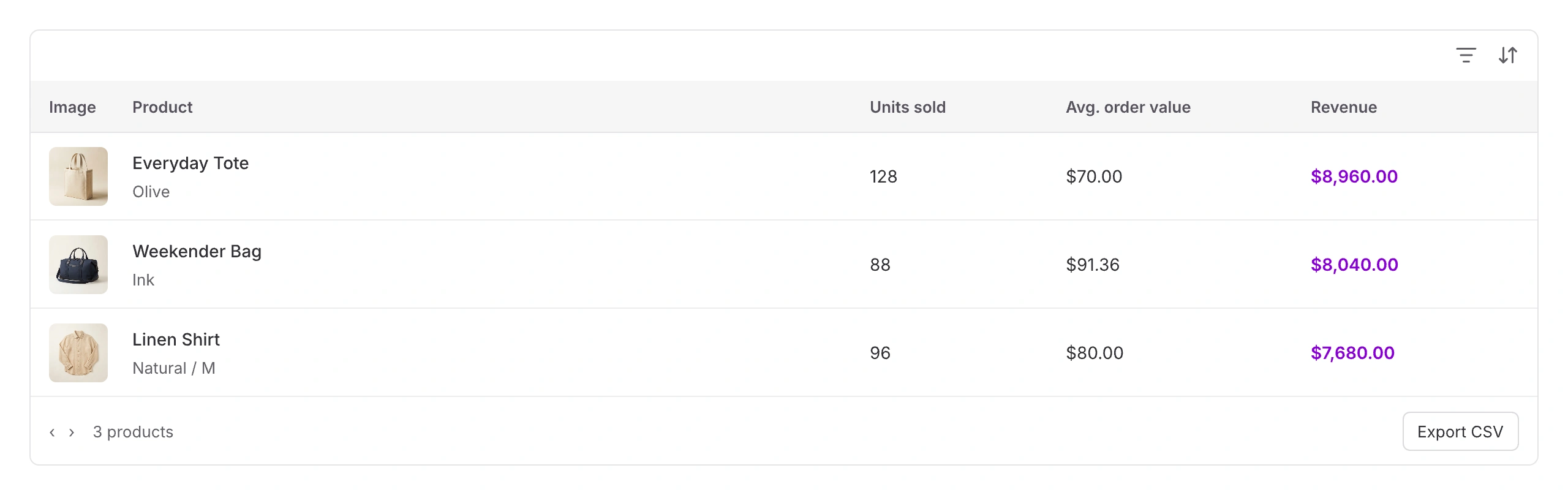
Products / Revenue
See which products bring back sales
Compare units sold, average order value, and revenue for each product and variant.
Follow shoppers through
Follow shoppers from signup to sale
Manage your waitlist, review sent alerts, inspect recovered orders, and see customer consent.
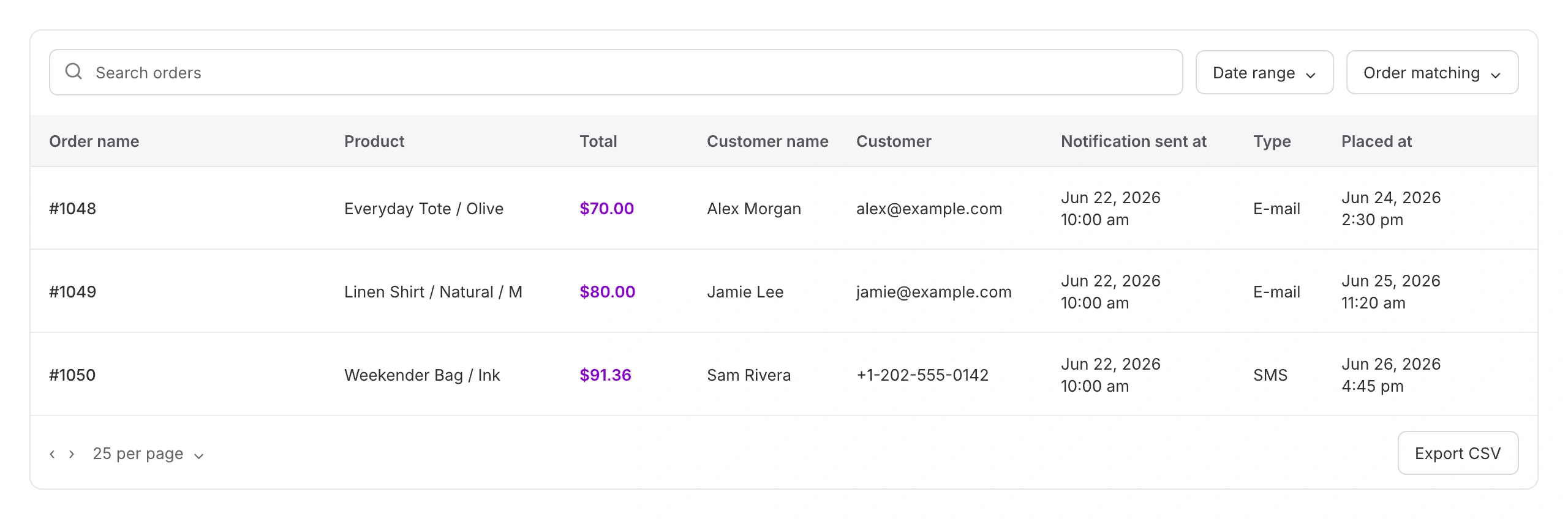
Sales recovered
Connect a restock alert to an order
See the order, notification channel, send time, and purchase date together. Export the details for a closer look.
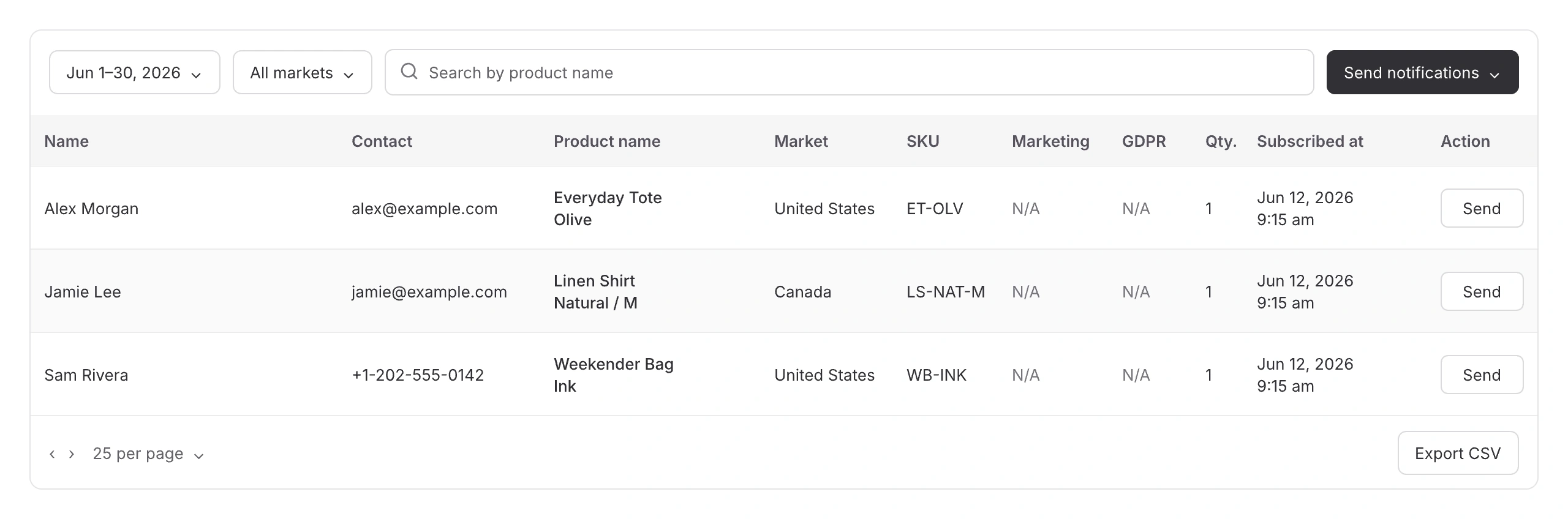
Current waitlist
See who is still waiting
Find registrations by product, date, or market. Send an alert to one shopper or notify the list.
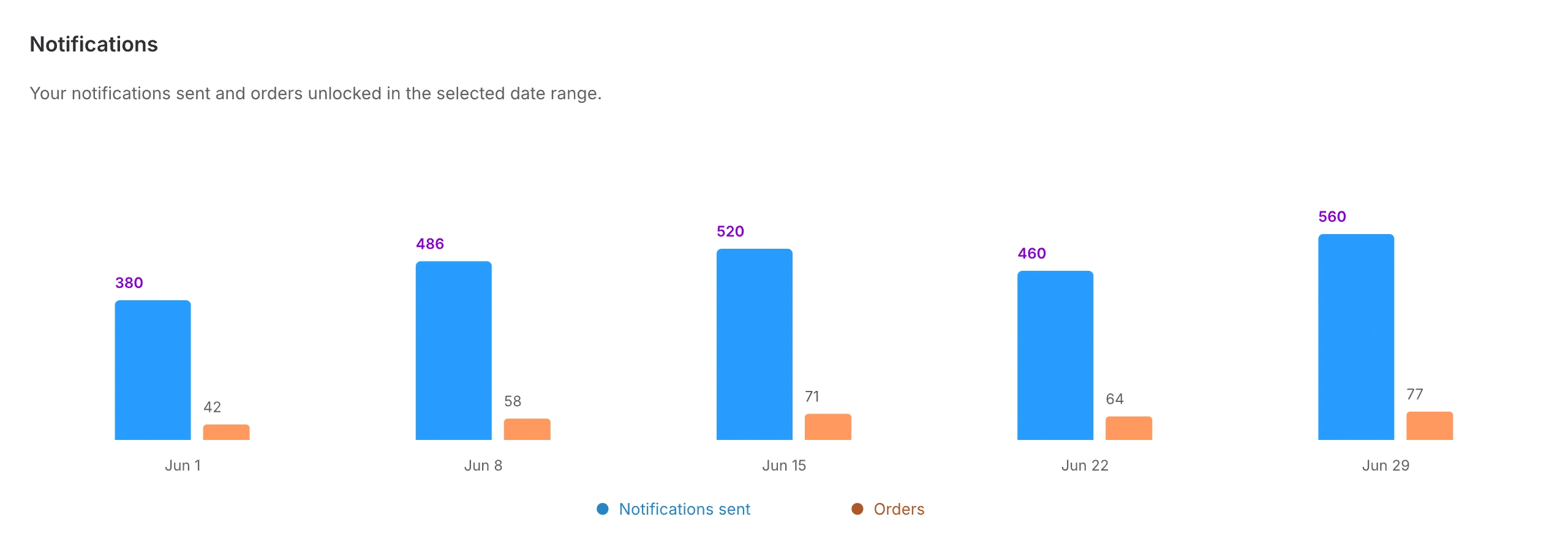
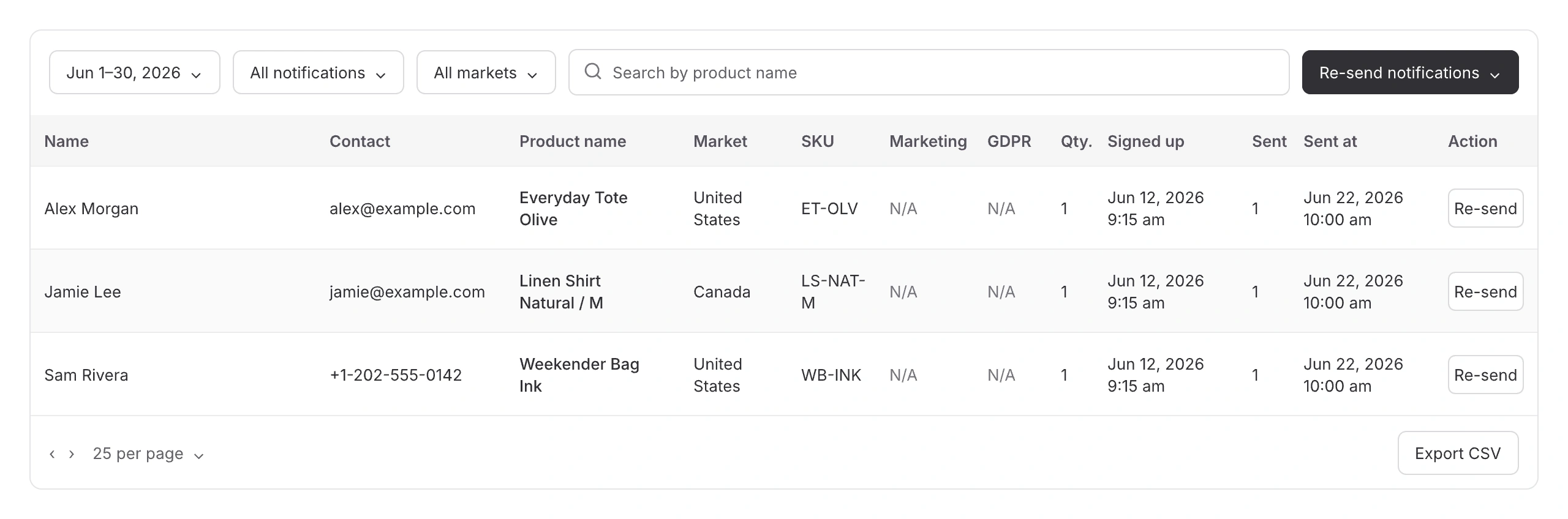
Notifications sent
Know who you’ve already notified
Review signup dates, sent counts, and send times. Filter your history or re-send an alert.
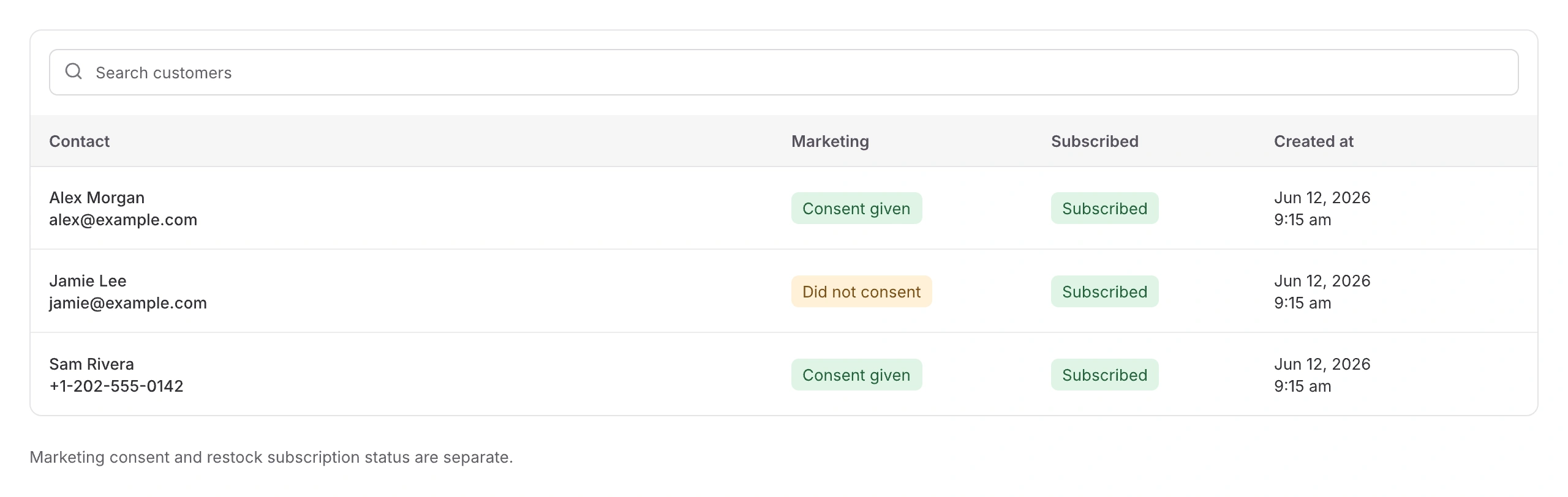
Customers
See the people behind your alerts
Review contacts, marketing consent, and subscription status. Keep those permissions clearly in view.