




























STOQ›Analytics
Analytics & Reporting

Understand your sales and restock demand

Understand what’s driving preorder sales and what shoppers want restocked—so you can decide what to stock next.

Try for Free
Rated 5 out of 5.3,700+ reviews on Shopify
Sales & demand
Last 30 days
Preorders
Linen shirt in natural, folded flat
Linen Shirt
Natural / M
$7,680
Preorder revenue · 96 sold
Back in Stock
Canvas everyday tote bag in olive
Everyday Tote
Olive
148
Shoppers waiting for a restock
The big picture

Track sales and restock demand

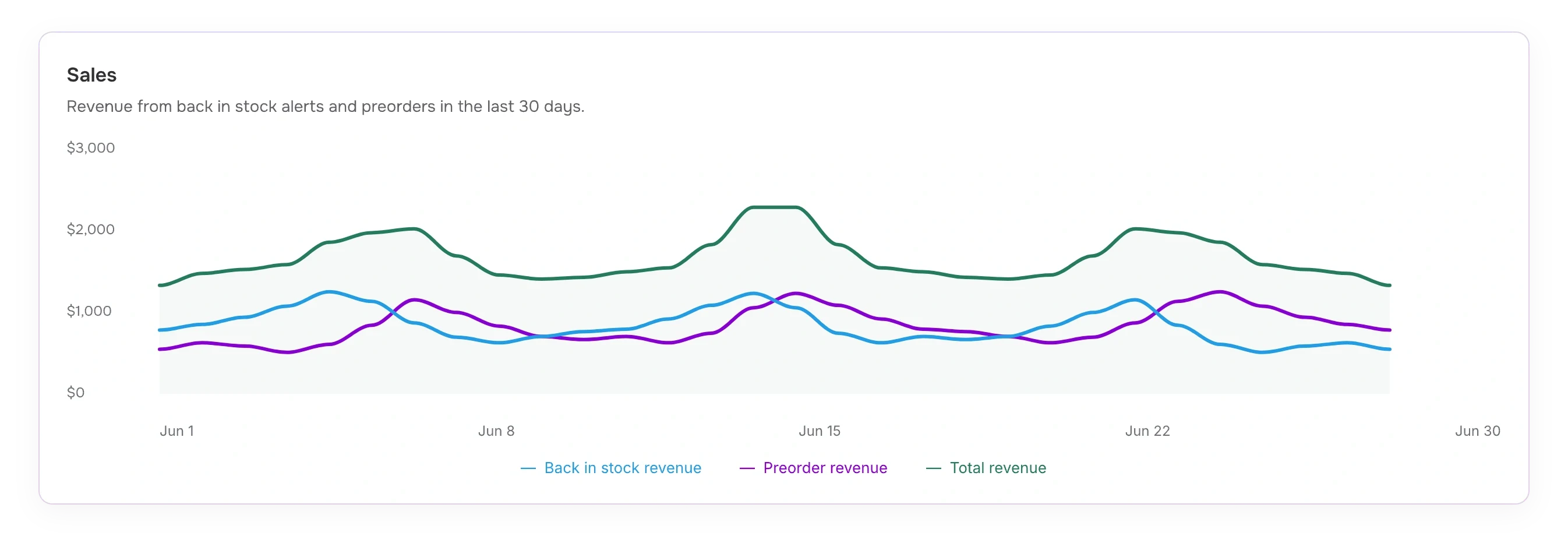
Review revenue, orders, and restock signups together on your STOQ homepage.

Analytics
Your journey with STOQ, in numbers · June 2026
Sales recovered
$49,360
Total orders
592
Back-in-stock revenue
$24,680
Preorder revenue
$24,680
Signups
1,842
Notifications sent
1,520
Back in stock orders
312
Preorder orders
280
“Sales recovered” combines preorder and back-in-stock revenue.
Look closer

Explore your reports

Get product and order details for preorders and back-in-stock alerts.

Preorders

Track your preorder performance
The Everyday Edit
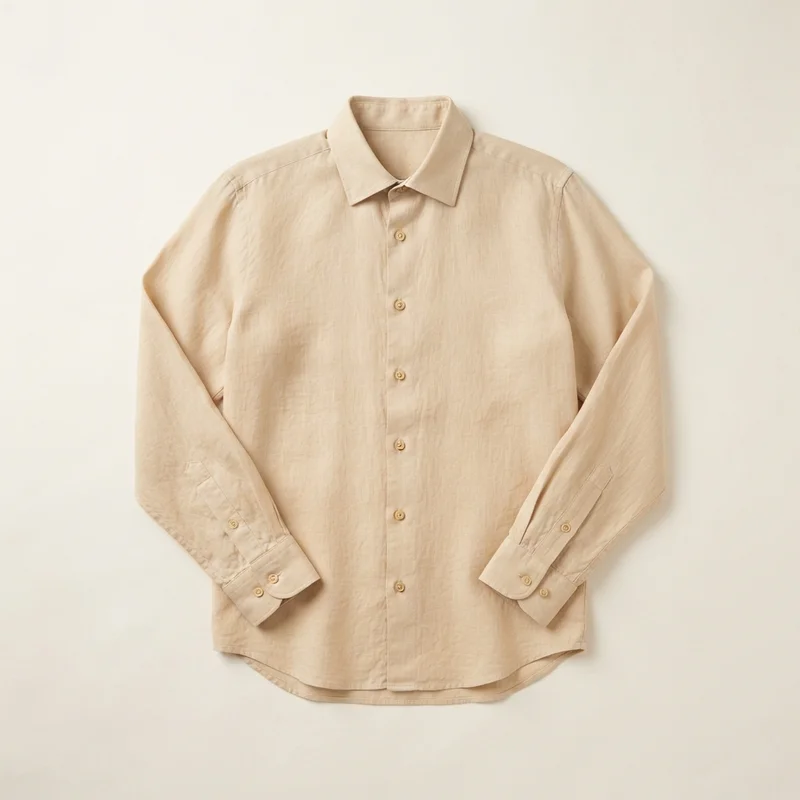
Linen shirt product photo
Linen Shirt
Natural / M
$80.00
Available for preorder
Preorder performanceLast 30 days
$7,680
Preorder revenue
96 units sold

See which preorders drive revenue and what still needs to be collected or shipped.

  • Find your best-selling preorders
    Compare sales down to each variant.
  • Know what’s paid and what’s owed
    Track deposits, balances, and outstanding amounts.
  • See what still needs to ship
    Review linked offers and fulfillment status.
Explore preorder reports
Back in Stock

See what shoppers want back

The Everyday Edit
Everyday tote product photo
Everyday Tote
Olive
$70.00
Currently sold out
Restock demandLast 30 days
148
Restock signups
Signup activity

See what shoppers want restocked and which alerts turn their interest into orders.

  • Know what to restock next
    Compare demand by product, size, and colour.
  • Follow your restock alerts
    Review signups and notifications sent.
  • See which alerts lead to sales
    Review orders and revenue matched to notified shoppers.
Explore back-in-stock reports
AI Connectors

Ask AI about your STOQ data

Use Sidekick, Claude, or ChatGPT to look up sales and demand.

Inside Shopify with Sidekick
Ask about your preorder offers or product waitlists, right inside Shopify admin—without opening STOQ.
Connect your own AI
Link Claude or ChatGPT with a STOQ AI connector. Query preorder and back-in-stock data from the tools you already use.
Back-in-stock alerts…
How did my latest restock alert perform?
Searched STOQ

Here’s how the latest alert for the Knit Wrap-front Cardigan performed:

  • Notifications sent: 2
  • Orders placed: 0
  • Conversion rate: 0%
  • Revenue: $0

450 customers are still on the waitlist. Only 2 alerts were sent, and neither converted into an order.

Would you like me to check your notification settings or why the remaining shoppers haven’t been notified?

Sidekick · Condensed from a real conversation
Decide what’s next

Plan your next reorder with sales and waitlists

Install STOQ
Rated 5 out of 5.3,700+ reviews on Shopify
  • Plan your next reorder
    Use sales and waitlists to decide what to reorder.
  • Review what’s working
    See which products deserve your next campaign.
  • Give your team the details
    Export supported reports as CSVs for your team.

How stores use STOQ reports

Rated 5 out of 5.
“Implementation was super easy and the reports section shows you all the data you need to manage your pre-orders and alerts.”
Rule Of Threads · United States
Review excerpt · Read review ↗
Rated 5 out of 5.
“STOQ has been invaluable to me as we've managed our growth and supply chain through preorders and back in stock flows.”
Trek Light · United States
Review excerpt · Read review ↗
FAQs

A few details before you get started

STOQ reports on two areas: preorders (revenue, orders and fulfillment, engagement, and deposits/balances) and back in stock (demand, signups and notifications, engagement, and recovered sales). Your homepage brings the top-level numbers together, and Reports goes deeper into each.

Have a question about your store’s setup?
Talk to the STOQ team ↗