Trusted by 30,000+

stores around the world





















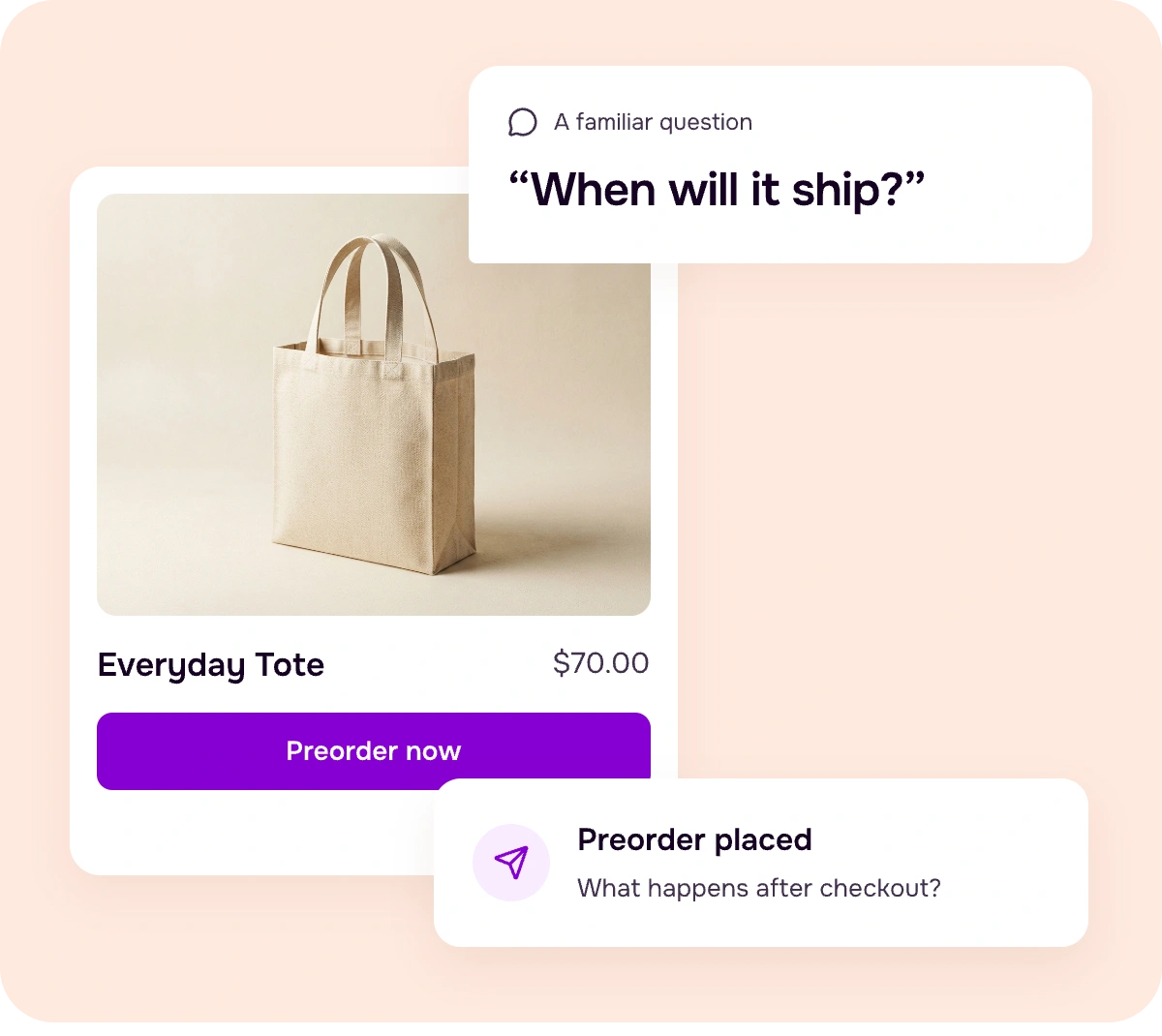
The preorder is in. What’s next?
Sound like your store?
Preorders are coming in. But sales, partial payments, and upcoming shipments each tell a different part of the story.
Bring those details together before planning your next move.
What you actually want to know:
- 01Which products are converting?
- 02How much revenue?
- 03What still needs to ship?
Understand your results
See the full picture of your preorders
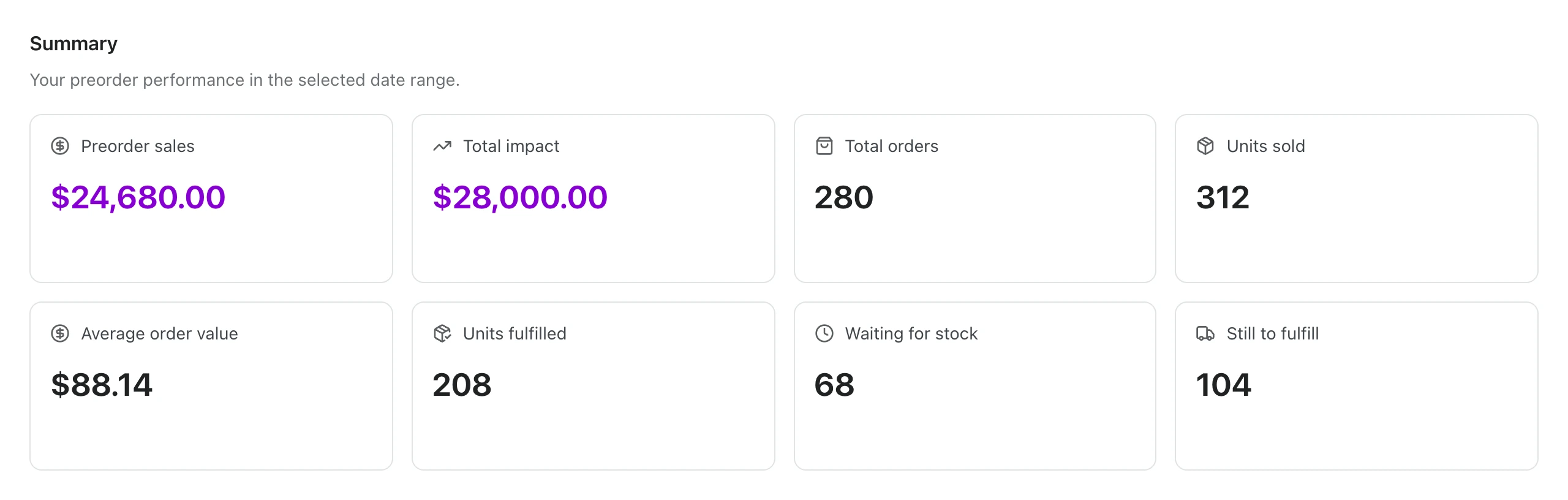
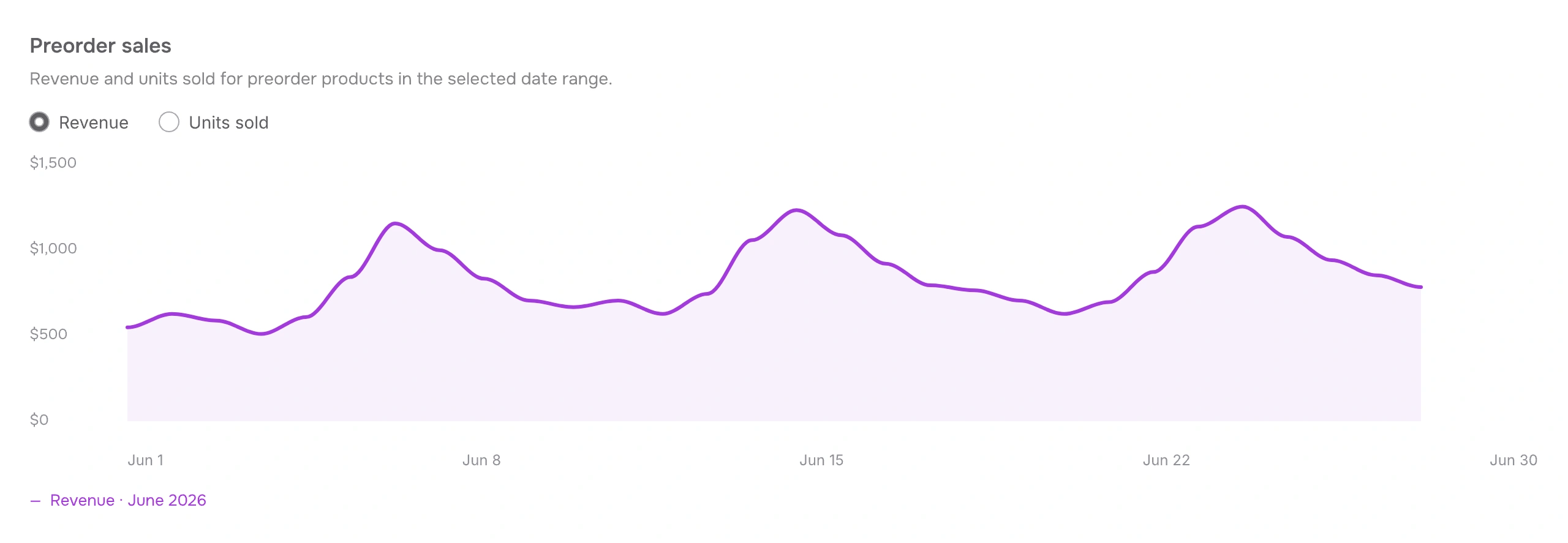
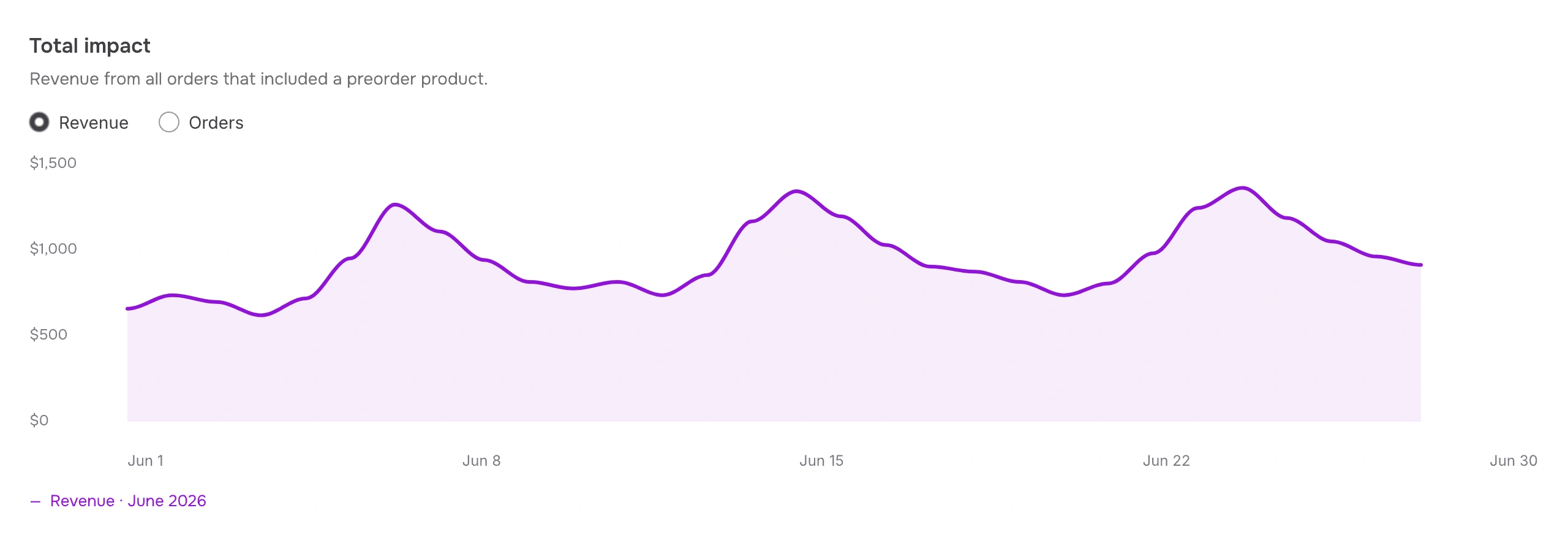
Start with sales, orders, and customers. Explore preorder revenue and the impact on the entire basket.
Overview
Your preorder performance, in one place.
Understand product performance
Know which preorders perform best
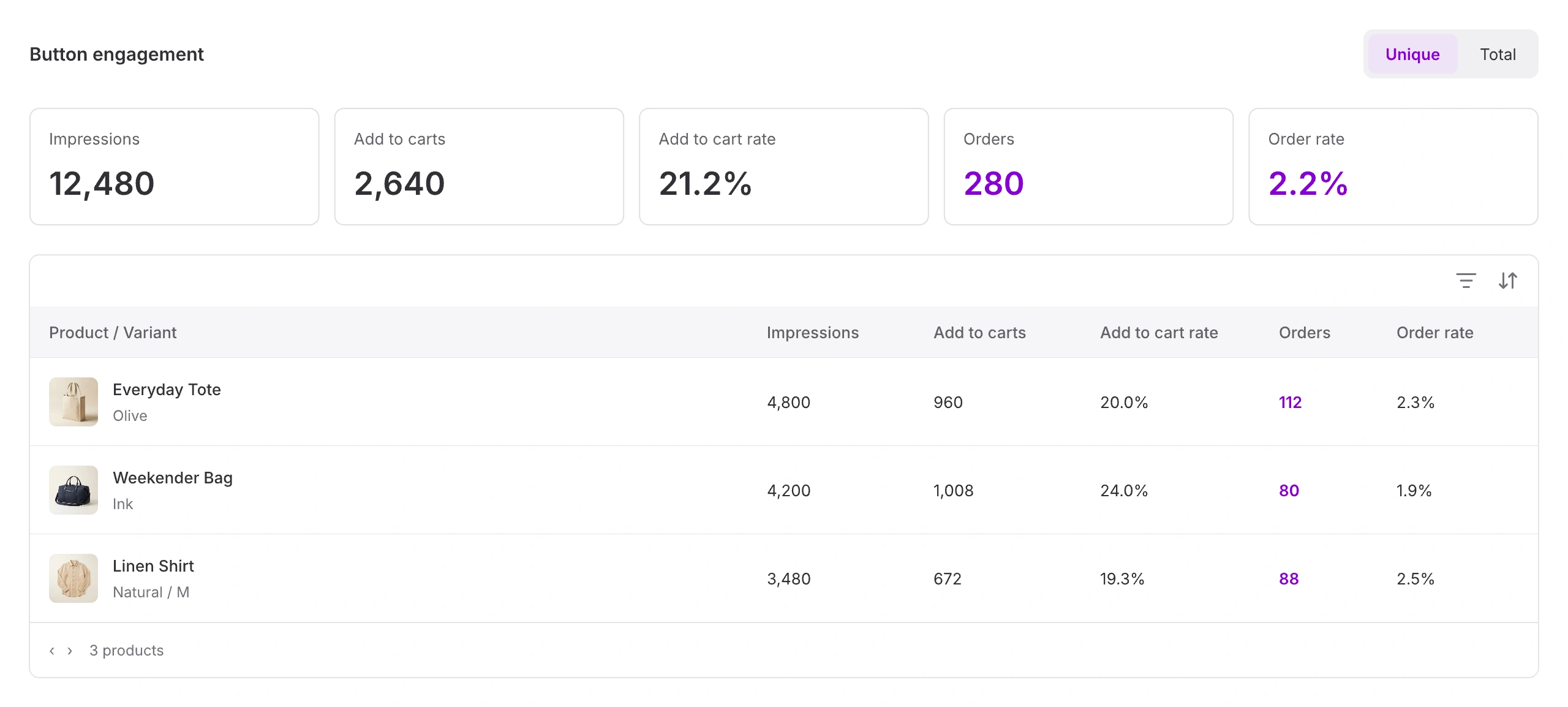
Connect impressions and add-to-cart activity with orders and revenue, down to each variant.
Products / Engagement
See how interest becomes preorders
Compare impressions, add to carts, and orders by product and variant—not just across your store.
Products / Revenue
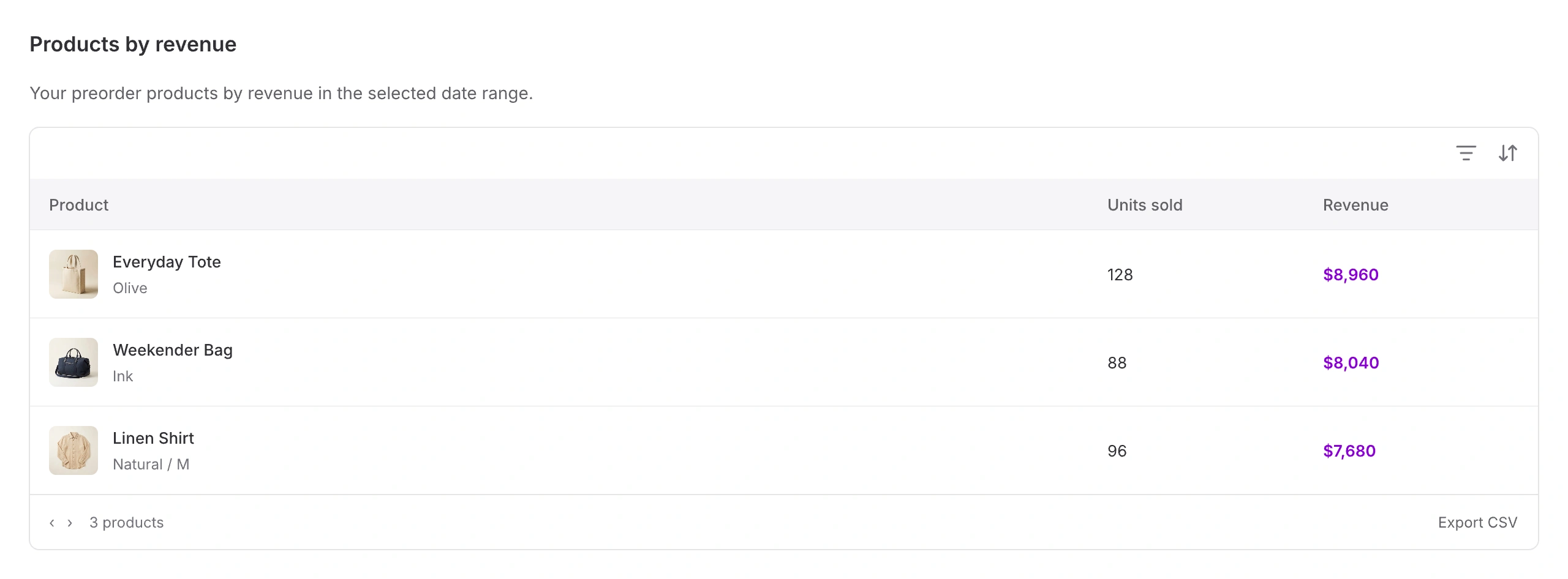
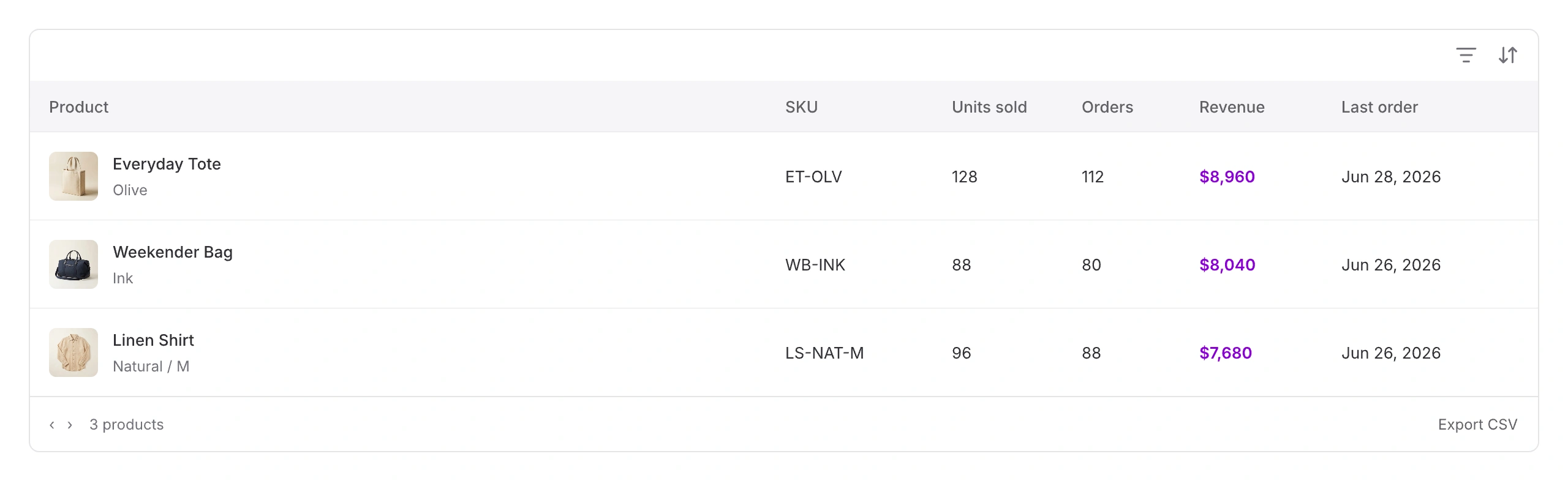
See which preorders drive revenue
Compare units sold, orders, and revenue for each product and variant.
Rated 5 out of 5
“STOQ has been invaluable to me as we've managed our growth and supply chain through preorders and back in stock flows.”
Rated 5 out of 5
“We like that preorders were able to be isolated from different orders, and that the fulfillment status comes through as “scheduled” for all preorders.”
Stay on top of every order
From preorder placed to product shipped
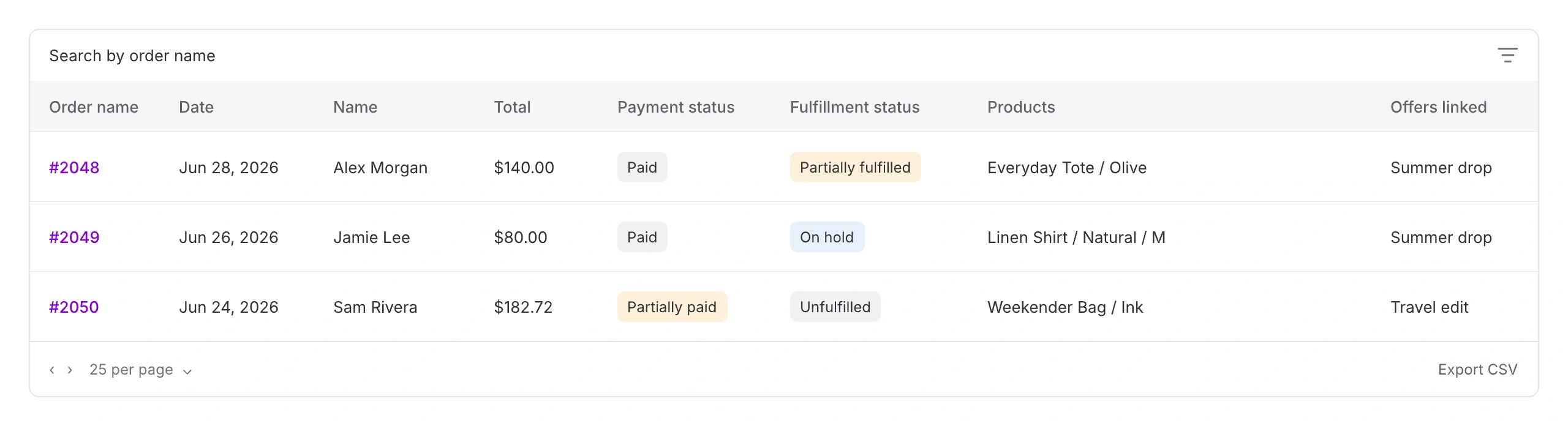
Review payments, linked offers, and fulfillment status. See what is waiting for stock and what still needs to ship.
Orders
Keep every preorder in view
Find orders by payment status, fulfillment status, offer, product, or date. Export the details for a closer look.
Fulfillments
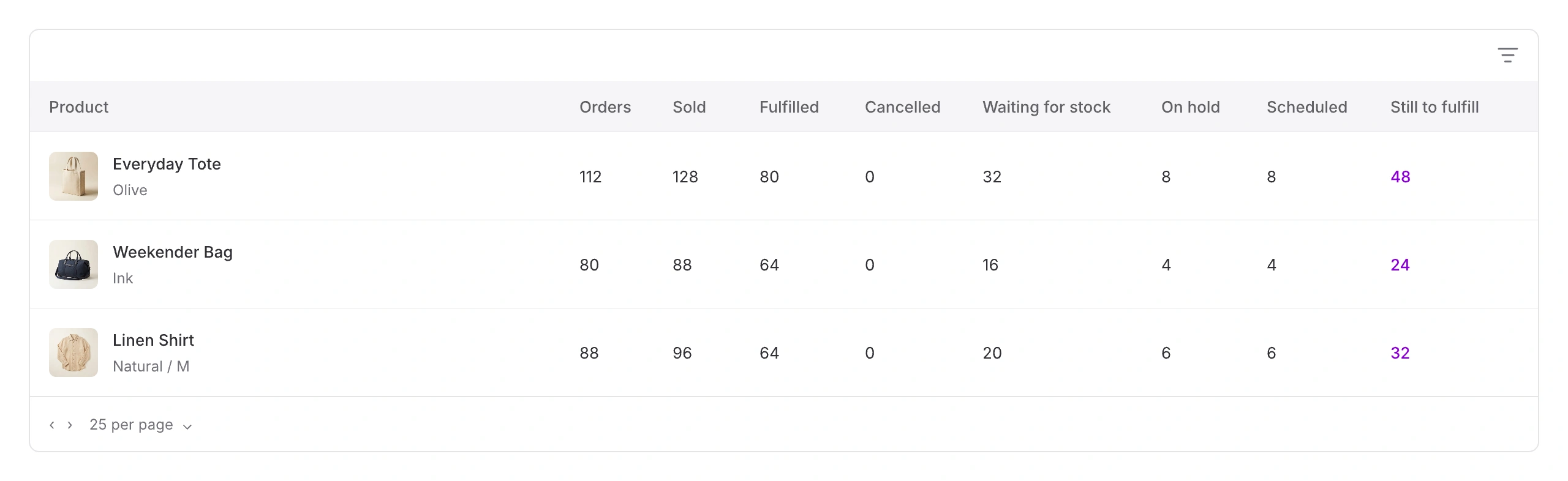
Know what still needs to ship
Track fulfilled, cancelled, waiting-for-stock, on-hold, and scheduled units by product.