Preorders for made-to-order products: how to sell on Shopify when you make it after they buy it
You don't have a stock problem. You have no stock at all — on purpose.
Every rug is woven after the order lands. Every ring is cast for the person who bought it. The customer is commissioning something that doesn't exist yet.
Shopify, though, is built around a shelf. Inventory counts, "in stock" states, a Sold Out button when the count hits zero. So merchants who make to order ask us the same question in support almost weekly: "Can I set up a preorder to act like a made-to-order option?"
Yes — and one idea makes the whole setup click:
Quick answer: Made to order on Shopify is a preorder that never ends. Same mechanics (sell now, fulfill later), but a preorder is a temporary campaign with an end date, and made to order is a permanent state. That one difference changes how you set up inventory, payments, and the promise on your product page.
Pre order vs made to order: the difference is the end date
A classic preorder is a bridge. Stock ran out, or a new drop hasn't arrived. You sell through the gap, inventory lands, and the preorder switches itself off. Temporary by design.
Made to order has no other side of the bridge. There is no shipment coming that ends the wait, because the product only gets made once someone orders it. The gap between purchase and delivery is the business model.
Functionally, both run on the same rails: the customer pays (in full or a deposit), the order is tagged and held, and you fulfill when the product is ready. That's why a preorder app is the right tool for made to order. The feature already fits — you just run it without an expiry date.
And "without an expiry date" is exactly what changes the setup. A temporary preorder can tolerate a rough edge for two weeks. A permanent one can't.
Four decisions that make made to order work on Shopify
The setup takes minutes. What separates a smooth made-to-order store from a support-ticket machine is four decisions, each shaped by the fact that this preorder never ends.
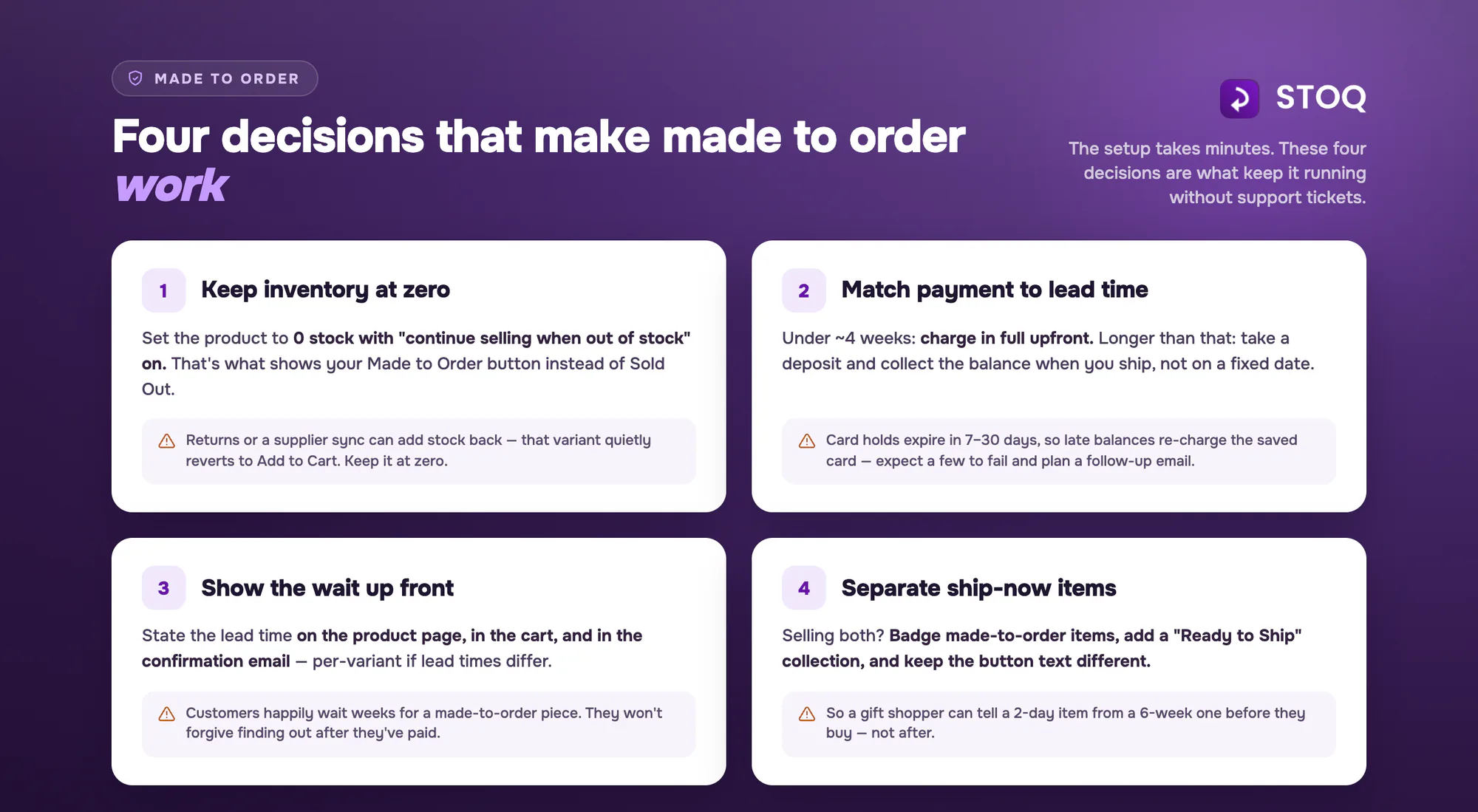
1. Your inventory stays at zero — protect that
For a normal preorder, zero inventory is a condition you wait for. For made to order, it's a state you configure deliberately and then defend.
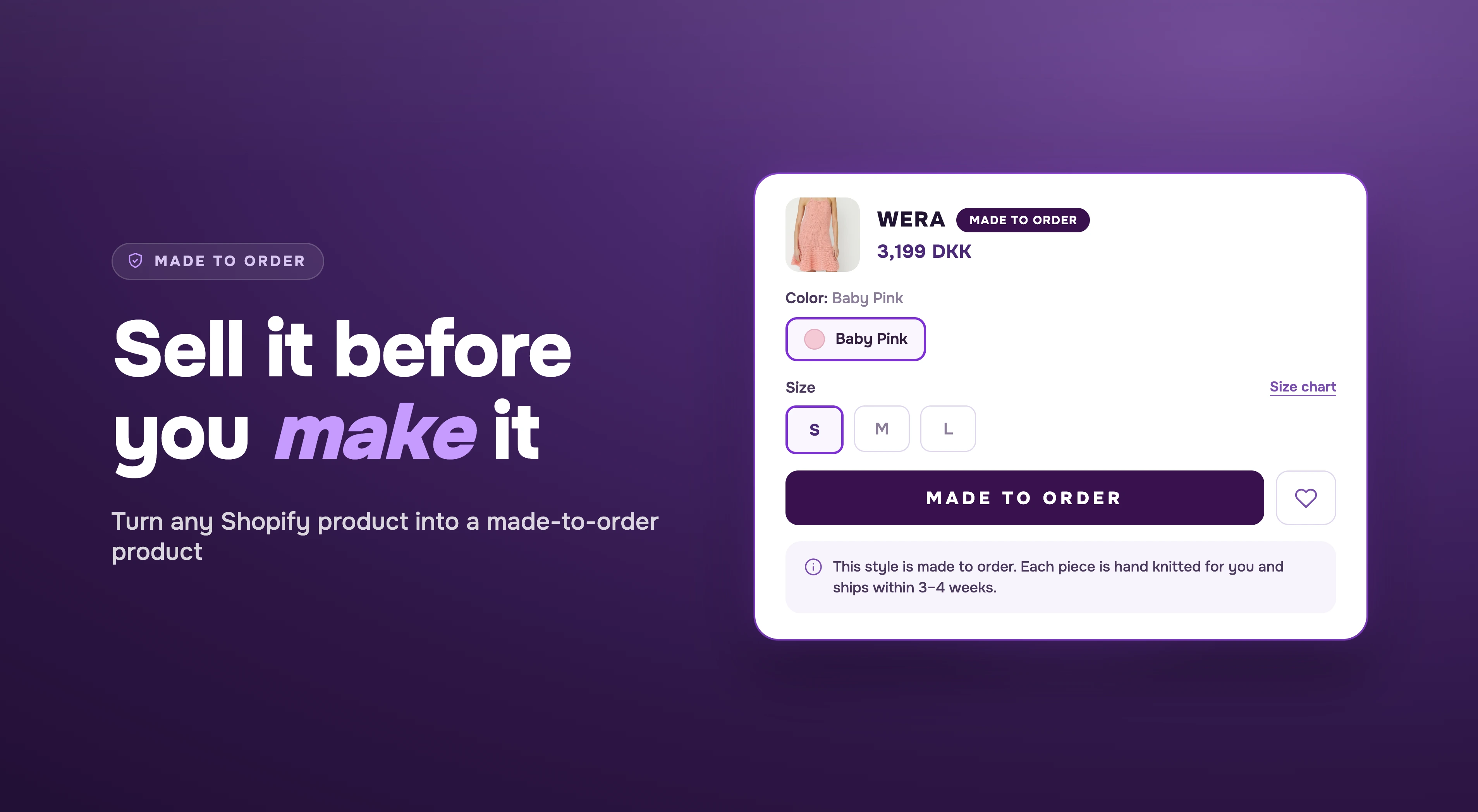
On Shopify, a made-to-order product should sit at zero inventory with "Continue selling when out of stock" enabled. That combination is what lets the preorder offer take over the product page, showing your Made to Order button instead of Sold Out.
This is where most setups quietly break, and it's rarely the app. A few units get added back after a return. A fulfillment integration syncs "available" stock from a supplier. A well-meaning teammate "fixes" the zero. The moment a variant shows inventory, that variant flips back to a regular Add to Cart — and a customer buys something expecting it to ship tomorrow.
The habit to build: for made-to-order products, zero is the correct number. Mixing stocked and made-on-demand variants works too — preorders operate at the variant level, so the half-carat studs you keep on hand show Add to Cart, the two-carat pair shows Made to Order, and the button switches with the variant.
2. Decide how you'll collect payment when production takes weeks
This is the decision made-to-order merchants most often get wrong, because the trap isn't visible until week six.
If your production time is a few days, take full payment upfront and move on. Simpler for you, clearer for the customer.
If your production time is long (six, eight, ten weeks), partial payment looks attractive: a deposit lowers the barrier on a high-ticket custom piece, and the balance comes later. It's a good model with one mechanical catch: a card authorization doesn't live as long as your production window. Shopify Payments holds an authorization for 7 days; other gateways stretch to 30 at most. Past that window there's nothing left to capture — collecting the balance means charging the saved payment method fresh, and some of those charges will fail. When one does, the customer gets an email asking them to update their payment details, and you're chasing balances on products you've already made.
So decide how the balance gets collected, because the two modes make different promises:
- Automatic: Shopify attempts the charge on your schedule or when you fulfill — no action needed from you unless a charge fails.
- Manual: you trigger each charge yourself, from Shopify admin or STOQ > Reports. The due date shown at checkout is a reference date for the customer — nothing charges on its own.
Here's the step-by-step guide to collecting preorder payments later, covering both modes.
Whichever mode you pick, anchor the timing to the order, not the calendar. A campaign preorder can say "balance due April 8" — the campaign ends before the date does. An always-on offer can't: Shopify bakes the exact charge time into each order's payment schedule at checkout, so a fixed date goes stale and every new order keeps inheriting it. For made to order, use "X days after checkout," collect at fulfillment, or collect manually.
One caveat on gateways: not every payment method supports Shopify purchase options, which is what preorders run on. Klarna is the known gap, and the compatibility workaround means partial payments can't be collected at all. Check your gateway before you promise deposits on the product page.
The short version:
- Short lead time (under ~4 weeks): full payment or deposit, either works cleanly.
- Long lead time: full payment upfront is the low-friction default. If you use deposits, collect at fulfillment or a set number of days after checkout, and expect a percentage of collections to need a retry — build the follow-up email into your process rather than being surprised by it.
Whatever you choose, say it plainly on the product page: "Pay 30% today. The balance is charged when your order ships." Ambiguity here creates support tickets later.
3. Show the shipping timeline everywhere customers look
A stocked product page sells the product. A made-to-order product page sells the product and the wait.
Customers will happily wait ten weeks for something made for them. What they won't forgive is finding out about the ten weeks after checkout. So the timeline needs to appear everywhere a customer forms an expectation:
- On the product page, next to the button: "Made to order — ships in 6–8 weeks."
- In the cart and at checkout, so the expectation is re-confirmed at the moment of payment.
- In the confirmation email, so it's in writing when they check back in week three.
If different products or variants carry different lead times, be that specific: a hand-knotted rug and a printed cushion shouldn't share a vague "please allow extra time." Per-variant shipping text lets a 10-week piece say 10 weeks and a 2-week piece say 2.
One more wording note: you don't have to call it "Preorder." The button, badge, and messaging are yours to write — "Made to Order," "Crafted for You," "Commission This Piece." Customers read "preorder" as waiting for stock; "made to order" reads as made for me. That difference does quiet work on conversion.
4. Help customers tell in-stock items from made-to-order ones
Plenty of made-to-order stores aren't purely made to order. Some pieces sit finished on a shelf; others begin when the order does. That mix creates a specific customer problem: someone shopping for a gift needed by Friday can't tell which is which without clicking into every listing.
Solve it before the click:
- Badge made-to-order products on collection pages, so the state is visible while browsing.
- Create a "Ready to Ship" collection (and, if it suits your catalog, a "Made to Order" one) and put it in your navigation. It's the simplest filter there is, and it works on every theme.
- Keep the button text distinct — Add to Cart for stocked pieces, Made to Order for the rest — so the product page confirms what the badge implied.
Courtesy aside, the fastest way to earn a frustrated "where is my order?" email is a customer who bought a 6-week piece believing it was a 2-day one.
Setting this up in STOQ
The whole model above runs on a single preorder offer:
- Create a preorder offer and add your made-to-order products (or set it to cover the full catalog if everything is made on demand).
- Rename the button and badge — "Made to Order," or whatever fits your brand.
- Set the payment model: full payment, or a deposit — then choose how the balance is collected: automatically (a set number of days after checkout, or at fulfillment) or manually from Shopify admin or STOQ > Reports. Skip fixed calendar due dates on an evergreen offer.
- Add your shipping timeline, per product or per variant, and show it on the product page, cart, and checkout.
- Optionally set quantity limits. Useful when your production capacity is real and finite, so a good month doesn't become an overcommitted one.
- Leave the offer running. There's no campaign end date, because there's no campaign.
Orders come in tagged and held until you're ready to fulfill, so made-to-order work never gets mixed into your ship-today queue.
One limitation to plan around: products sold with a purchase option (which is how preorders work under the hood on Shopify) can't be published to sales channels like Facebook, Instagram, or Pinterest. That's a Shopify-wide constraint, not an app setting. Your made-to-order flow lives on your storefront — treat social as the place that sends people there.
Made to order is a promise you keep
A stocked store sells availability. A made-to-order store sells something better: a thing that exists because one customer asked for it. But the sale rests entirely on a promise — we'll make it, and it will arrive when we said.
Everything in this setup serves that promise. Inventory that stays at zero so nobody buys a fiction. A payment model that won't fail in week ten. A timeline the customer saw three times before they paid, and a storefront that told them which pieces ship now. When those hold, the wait stops being a cost and becomes part of what they bought.
Ready to set up made to order on your store? Install STOQ — it's free to start and takes minutes to set up.
Already using STOQ? Follow the step-by-step preorder offer setup guide and rename the offer to Made to Order.
Frequently asked questions about made to order products
What's the difference between pre order and made to order?
At the checkout and fulfillment level, they’re similar: both mean the customer pays now and receives the product later. The difference is duration and intent: a preorder is a temporary campaign that ends when stock arrives, while made to order is permanent, because the product is only produced after each purchase.
Can I sell made-to-order products on Shopify without holding inventory?
Yes. Keep the product's inventory at zero, enable "Continue selling when out of stock," and run it through a preorder offer. Customers can purchase normally, and orders are tagged and held until you've made the product.
How do I take payment for something that ships in 8+ weeks?
Full payment upfront is the simplest and most reliable. Deposits work too, but plan the collection: card authorizations expire well before you ship (7 days on Shopify Payments, up to roughly 30 on other gateways), so late charges hit the saved payment method fresh and some will fail. Collect automatically at fulfillment or a set number of days after checkout (not on a fixed calendar date for an always-on offer), or collect manually from Shopify admin or STOQ > Reports — and plan for retries either way.
Does the button have to say "Preorder"?
No. The button text, badge, and product page messaging are fully customizable — "Made to Order," "Custom Order," "Reserve Yours." For handmade and personalized products, made-to-order language usually fits the purchase better than preorder language.

Rajat is CMO at Artos Software, leading growth for STOQ and our portfolio of Shopify apps through SEO, content, partnerships, and AI-driven marketing.