Why smart shopify merchants run preorders on items they already have in stock
Most Shopify merchants think of preorders as something you only turn on for zero-inventory products that have sold out or haven’t launched yet. But some of the highest-growth stores we work with are doing the opposite — they're selling preorders while products are still in stock. Here's why, when it makes sense, and the pitfalls that trip merchants up.
Two different ways to use preorders
In the Shopify world, you can use preorders in two ways:
- The normal way (out of stock or new launches): You run out of items or want to check demand for a new product before securing inventory. You turn on preorders so you don't lose sales while you wait for a factory shipment.
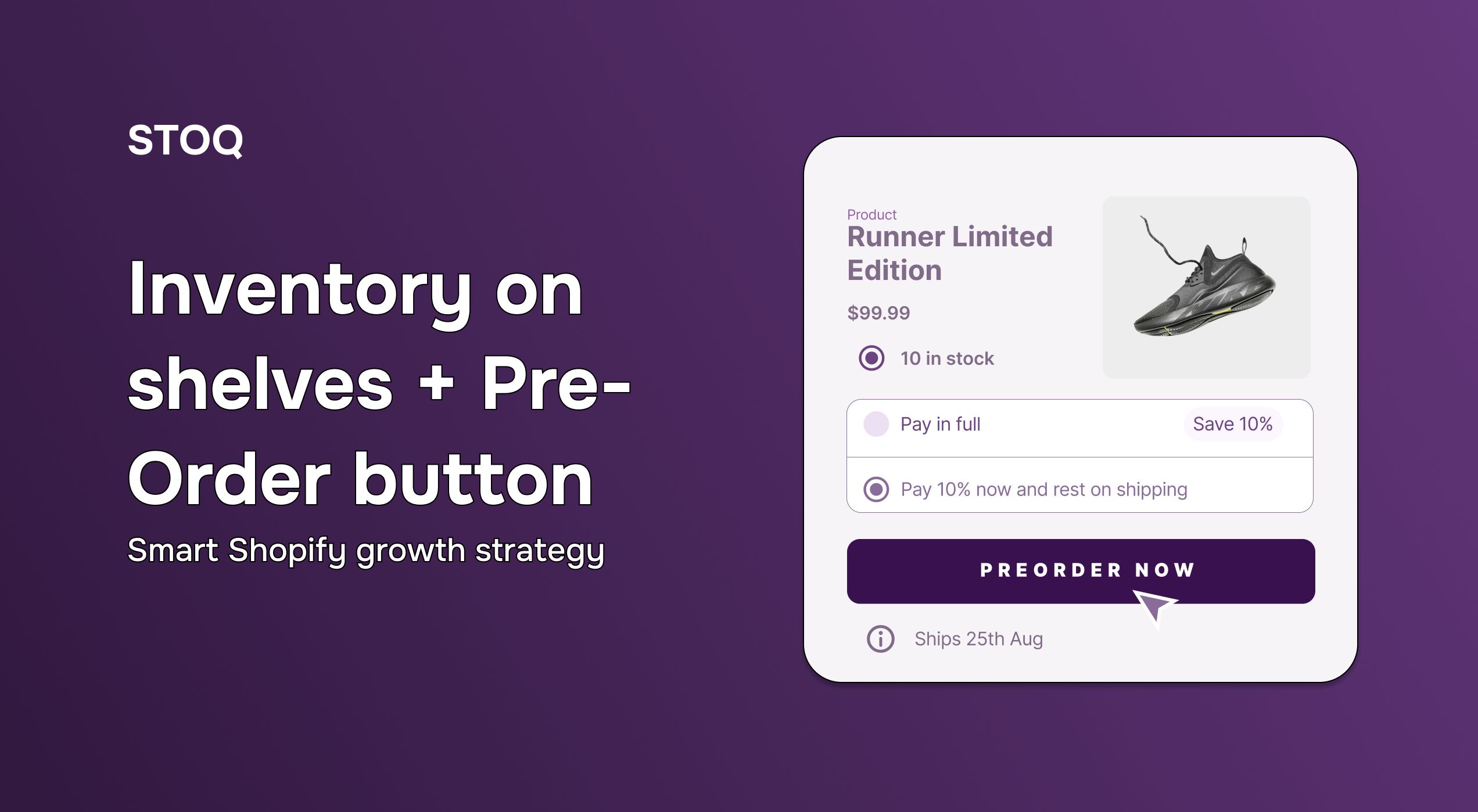
- The strategic way (in stock): You have the items in stock right now, but you sell them as a preorder with a promised shipping date a week or two in the future.
Here are three practical reasons to take the strategic route and sell in-stock items as a preorder:
Reason 1: It stops people from saying "I'll buy it later"
Often, when a shopper sees a regular "Add to Cart" button, they relax. They think, "This looks cool, I’ll come back and buy it next week." And once a shopper leaves, most of them never return.
By changing your button to "Pre-Order Now" or "Reserve from Batch 01", you change how the shopper thinks.

Even though you have the product ready to ship, calling it a “preorder” makes the transaction feel like an exclusive event. Shoppers realize they need to act fast if they want to secure a unit from the very first shipment.
Reason 2: It saves your team from shipping chaos
Every store owner wants a viral launch day with thousands of orders. But packing those orders is a completely different story.
If you get 500 orders in one hour, your shipping routine breaks. You end up rushing, printing the wrong labels, running out of mailers, and dealing with angry customers asking, "Where’s my package?"
Running an in-stock preorder for 7 to 14 days acts as a safety buffer. Instead of scrambling to ship orders the second they come in, you let them pile up safely while your inventory sits in boxes.
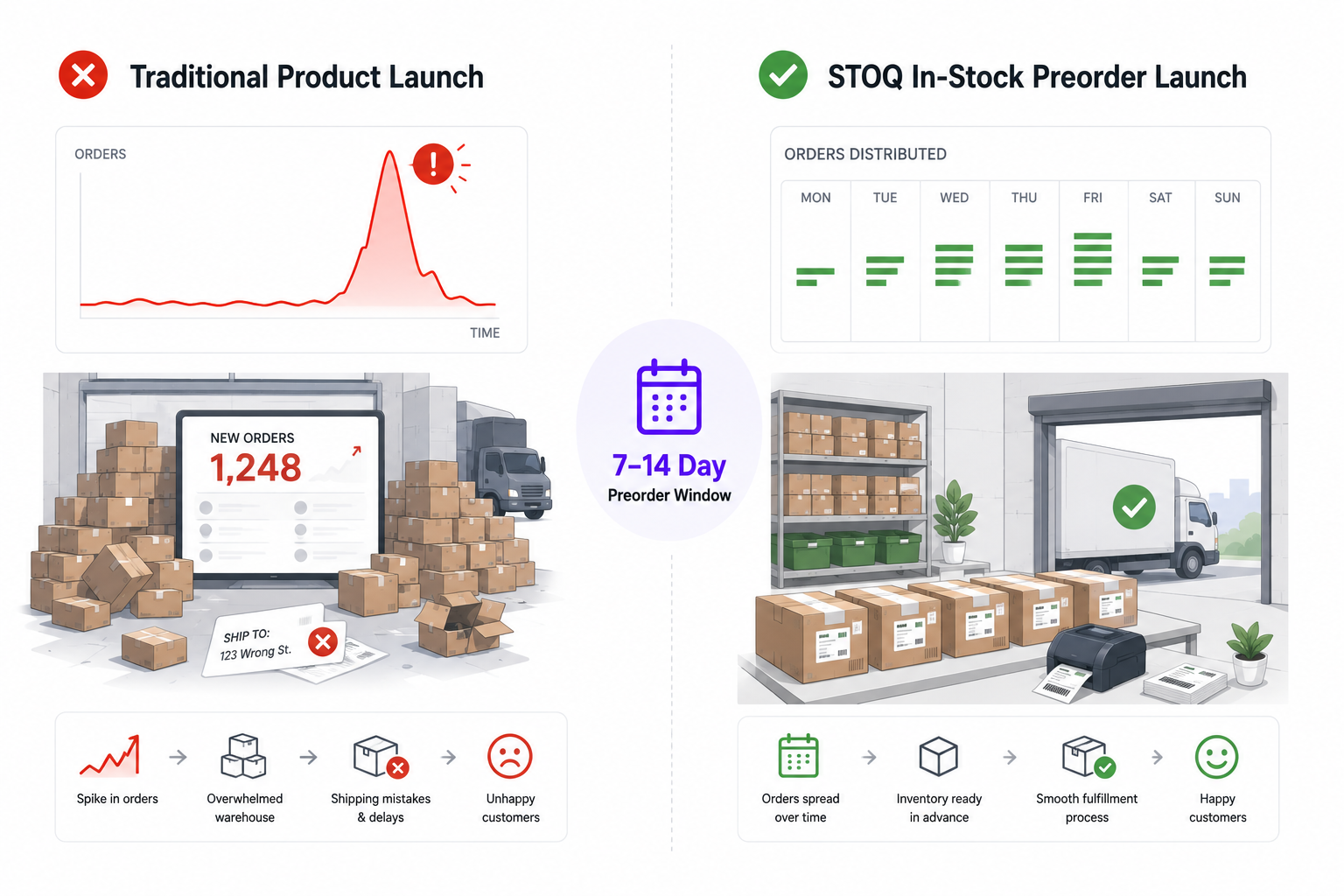
During this preorder window, you can calmly print shipping labels, fold your custom boxes, and organize your inventory. When your official "release day" arrives, everything is ready to ship in one clean, stress-free wave.
Reason 3: You get weeks of marketing content, not just one day
With a normal product release, you only get one real chance to email your audience: "We are live, come buy it." Once that email gets buried in their inbox, your traffic stops.
An in-stock preorder campaign gives you a full month of natural marketing touchpoints without sounding repetitive:
- Week 1 (The Tease): You post a sneak peek on social media. You tell your audience that a limited number of preorder slots open next week.
- Week 2 (The Open): The preorder goes live. You send an email telling people to secure their spot before the first batch sells out.
- Week 3 (Behind the Scenes): You post a video showing the actual boxes of inventory sitting in your warehouse. It builds trust, because customers can see you’re actually ready to ship.
- Week 4 (The Delivery Wave): Because everyone gets their package on the same day, they all post unboxing videos around the same time. All that social proof lands at once, which sets up demand for your next restock.
What happens when the preorder sells out?
For most stores that run preorders the traditional way, selling out means hitting a brick wall. Your button changes to "Sold Out," and visitors leave your site.
But when you use them strategically, the payoff comes when your preorder batch sells out.
Because STOQ handles both preorders and restock alerts, your store never stops working. The exact second your preorder inventory hits zero, STOQ automatically changes the button to an elegant "Notify Me When Available" form.
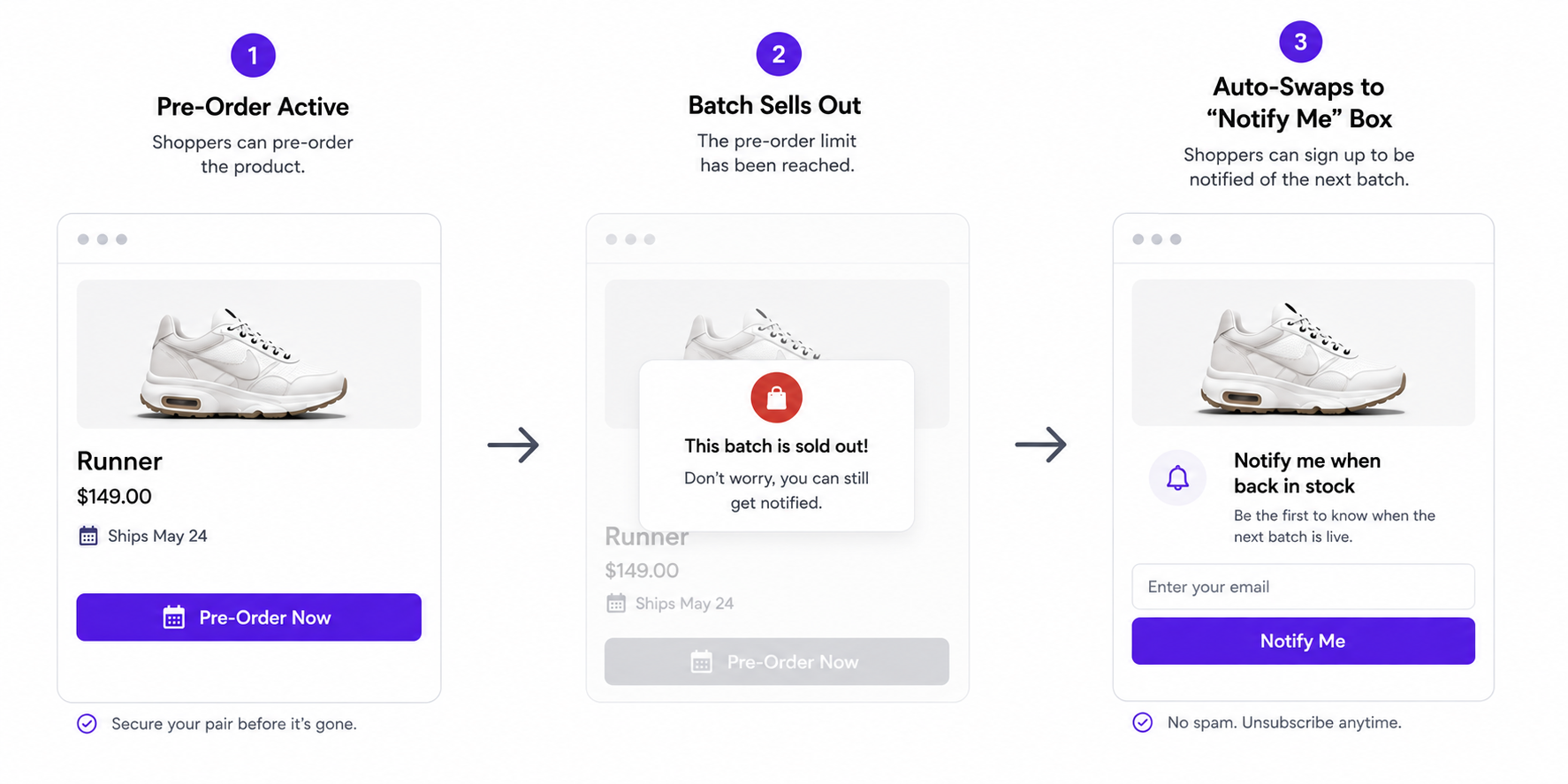
That way, you don't lose a single visitor. Instead, you immediately start building a high-intent waiting list of emails and phone numbers for your next factory run.
Final thoughts
Inventory sitting on your shelves is tied-up cash. Changing how you introduce it to your audience is what turns a routine restock into something people actually pay attention to.
So don't just open the floodgates and hope people buy. Give your team the runway to build interest and ship without the scramble by launching your next product as an in-stock preorder.
Turn your current stock into your next real launch. Install STOQ on your Shopify store today and set up your first preorder campaign in less than three minutes.
Already using STOQ? Read the complete in-stock preorder setup guide in our help center

Rajat is CMO at Artos Software, leading growth for STOQ and our portfolio of Shopify apps through SEO, content, partnerships, and AI-driven marketing.