The Black Friday checklist for Shopify stores: what to do, month by month
Shopify merchants sold a record $14.6 billion over Black Friday–Cyber Monday 2025. The stores that took a real share of it weren't the ones with the deepest discounts — they were the ones whose inventory, site, and campaigns were ready before November.
To prepare your Shopify store for Black Friday 2026 (November 27–30), work backwards from the weekend: confirm inventory and supplier dates in August, capture demand with waitlists in September, build and schedule campaigns in October, and spend November testing not building.
This checklist covers the whole run in that order. Use it on this page, or download the one-page fillable planner at the end and work through it with your team.
The timeline, backwards from November 27
Black Friday is a fixed date, so the plan runs in reverse, every deadline is set by the one after it.
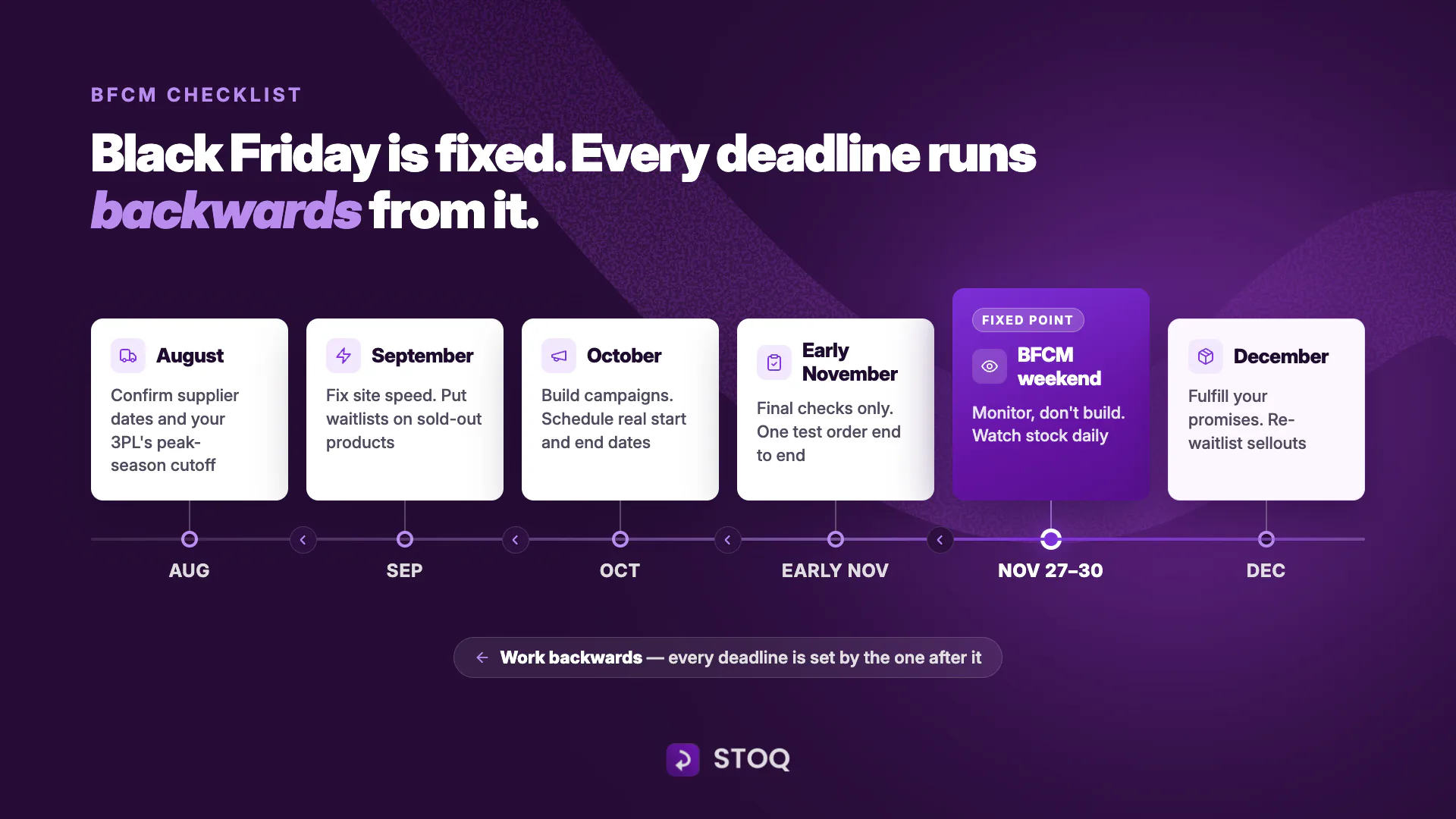
None of this is complicated. It just has to start in August, which is exactly when most stores aren't thinking about November yet.
The Black Friday prep checklist
The timeline sets the dates, this checklist carries the work. Five areas, ordered by how early they need to start: inventory first, because every other decision depends on what you can actually sell in November.
1. Inventory and the stockout plan
Your bestsellers might sell out during BFCM, that's a scheduling question, not a risk. What separates stores is whether a sellout ends the sale or continues it. The cost of a stockout is huge. A 2024 study by IHL Group found that retailers worldwide miss out on over $1 trillion in sales due to out-of-stocks
- Forecast from your own data. Last year's BFCM sales by variant plus current waitlist signups tell you what to reorder and in which sizes, not just which products. Check our help center guide to find high-demand products using the demand report.
- Confirm reorders against August lead times. Ask suppliers for the date they can actually hit, not the date on the quote, and pad it.
- Decide the sellout plan per product, before the weekend. One question settles it: do you know the restock date?
- Restock date confirmed, lands before your shipping cutoff → run a preorder and keep selling through the gap.
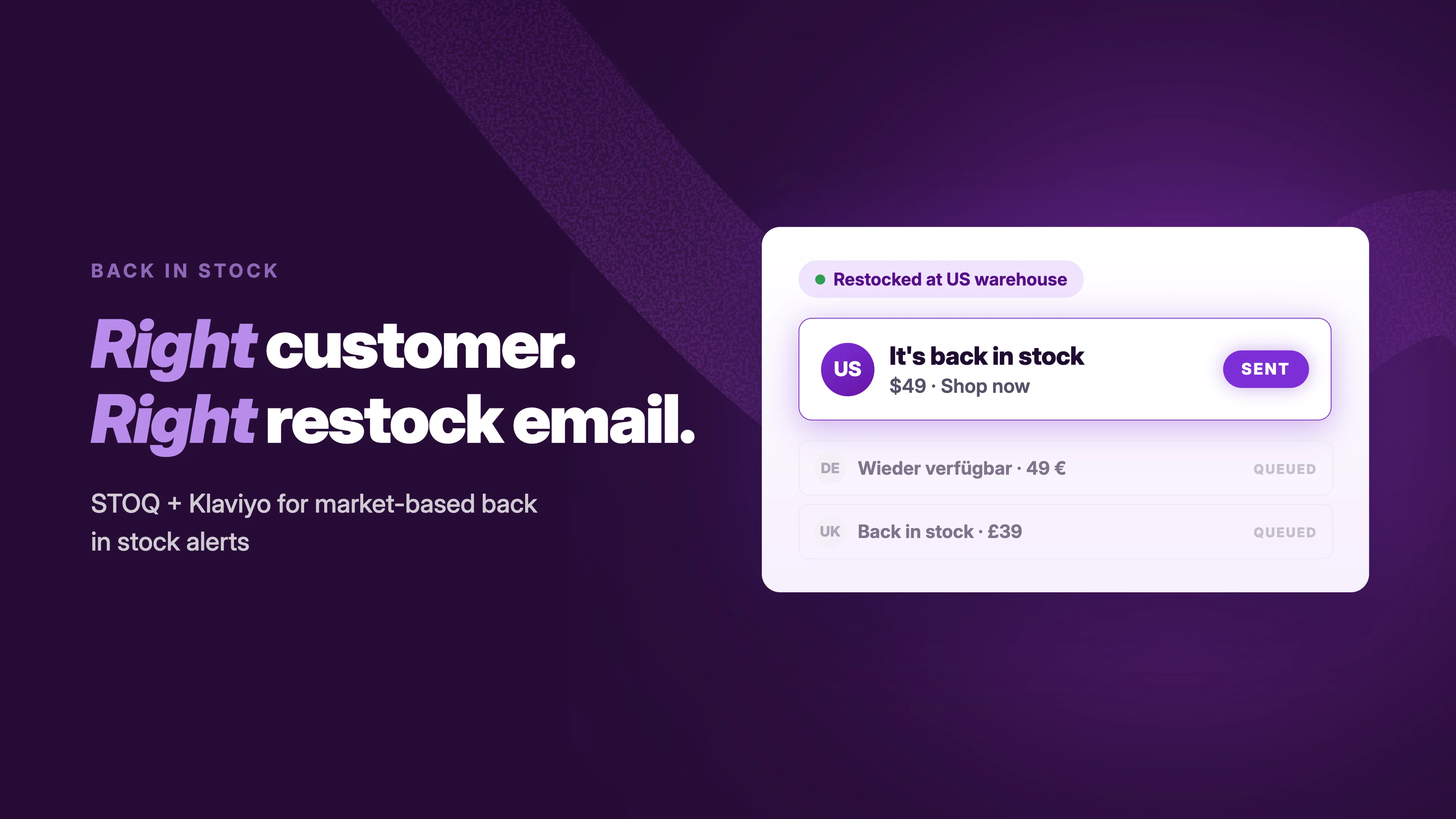
- Restock date unknown or supplier-dependent → put a back-in-stock alert on the page and notify the list when stock returns.
- Restock lands after the season's cutoff → run a waitlist and sell next season; a preorder you can't deliver in time is a refund machine.
- Set preorder limits at real capacity, per variant. Unlimited is not a launch setting during a demand spike.
- Turn the Sold Out button into a signup. A Notify Me form on every out-of-stock page converts the traffic you already paid for into a list you own. (In STOQ: enable the signup widget on all out-of-stock products.)
- Bundle slow movers with bestsellers. Moves stagnant inventory and raises order value — the trade-off is messier picking, so tell your warehouse before, not after.
2. Store and checkout readiness
BFCM traffic punishes friction you've been living with all year.
- Test speed on mobile first — most BFCM traffic is phones. Run PageSpeed Insights, fix the top handful of issues, and compress product images.
- Buy something from your own store on your phone. The full flow, start to finish. Anything that annoys you will lose customers at 10x volume.
- Enable guest checkout and express payments (Shop Pay, Apple Pay, Google Pay). Every forced account creation is abandoned carts.
- Back up your theme and data before the freeze; then stop changing the theme after early November.
- Know your traffic plan. If a product goes viral, what breaks first? Ask your app stack and your host now.
3. Marketing and campaigns
The pillar's job here is the checklist; the strategy lives in its own posts.
- Plan the offers and who gets them. Early access for VIPs and waitlisters, the headline discount, bundles, post-purchase upsells — the full promotion playbook is in → BFCM marketing strategies.
- Build the email and SMS program by segment, not by blast. Your waitlist signups are the highest-intent segment you have — they told you exactly what they want. Sequences, examples, and Klaviyo flows: → Black Friday email examples & personalization.
- Pick the app stack in October, not November. Install and test before the code freeze; what to look for and current picks: → BFCM app stack.
- Schedule every send and every campaign window. Offers, emails, ads — start dates and end dates set in advance.
- Use the real urgency you already have. The close date and the stock cap are genuine; show them. A countdown that resets or a "limited" run that quietly extends costs you the repeat customers who notice.
4. Fulfillment and customer support
- Get your 3PL's peak cutoff in writing. The warehouse's last processing date for pre-Christmas delivery is earlier than the carrier deadline everyone quotes, and it moves earlier in peak weeks. This date sets your delivery promises and your preorder math.
- State shipping expectations on the page. "Order by [date] for delivery before Christmas" — or say nothing that implies it. A promise you can't keep becomes a chargeback.
- Confirm order tracking works and is linked from the confirmation email; "where is my order" should answer itself.
- Brief support and write the macros for the questions you already know are coming: discount codes, shipping dates, returns, preorder ship dates.
- Make the return policy easy to find, and consider extending the window — it converts hesitant gift-buyers, at the cost of January returns volume you should plan for.
5. Analytics and after the weekend
- Set up the dashboard before, not during. Sales, conversion, traffic source, and stock levels in one view you'll actually watch.
- UTM-tag every campaign link so December's channel decisions are made on data.
- Plan the follow-up now: review requests a week out, then a retention flow that turns BFCM first-timers into repeat buyers — the post-BFCM sequence is in → the post-BFCM section.
- Put waitlists back on whatever sold out. Post-weekend signups are recoverable December revenue and the first input for BFCM 2027 quantities.
Get the fillable planner
Everything above as a one-page planner — checkboxes, date fields for your own cutoffs, and the August-to-December timeline to pin above the desk.
DOWNLOAD: Black Friday 2026 Shopify Planner (PDF)
FAQs
When should I start preparing for Black Friday 2026?
August. Supplier lead times and 3PL peak cutoffs are the deadlines everything else depends on, and they're only negotiable months out. September is for site fixes and waitlists, October for campaigns, November for testing.
How do I avoid losing sales to stockouts during BFCM?
You can't fully avoid selling out plan for it instead. Put back-in-stock alerts on every sold-out page, run preorders where the restock date is confirmed, and set per-variant limits so demand spikes don't become delivery failures. Use STOQ, shopify's moved loved preorder and back in stock app to automate all this.
Should I use preorders or back-in-stock alerts for Black Friday?
Depends on one thing: the restock date. Confirmed and before your shipping cutoff → preorder, keep selling. Unknown → back-in-stock alert. Landing after the season's cutoff → waitlist, sell next season.
How much inventory should I order for BFCM?
Forecast from last year's BFCM sales by variant, then add current waitlist signups, they're buyers who've already raised their hands. Order the sizes people are waiting for, not just the products.
What's the biggest website mistake stores make before Black Friday?
Changing things in November. Fix speed and checkout in September, freeze the theme in early November, and spend launch week testing, a broken checkout during peak traffic costs more than any optimization gains.
What should I do right after BFCM ends?
Fulfill inside your promised dates, send review requests about a week out, move new customers into a retention flow, and put waitlists back on sold-out products, post-weekend demand is December revenue.
Ready before the rush?
Every sold-out page without a signup form, every preorder without a limit, every promise without a cutoff date behind it, that's the revenue gap between stores this November. The checklist closes it; the work starts in August.
Getting your store BFCM-ready? → Install STOQ from the Shopify App Store — back-in-stock alerts, preorders, and waitlists in one app, free to start.

Rajat is CMO at Artos Software, leading growth for STOQ and our portfolio of Shopify apps through SEO, content, partnerships, and AI-driven marketing.