18 must-have Shopify apps for BFCM 2026 to boost sales
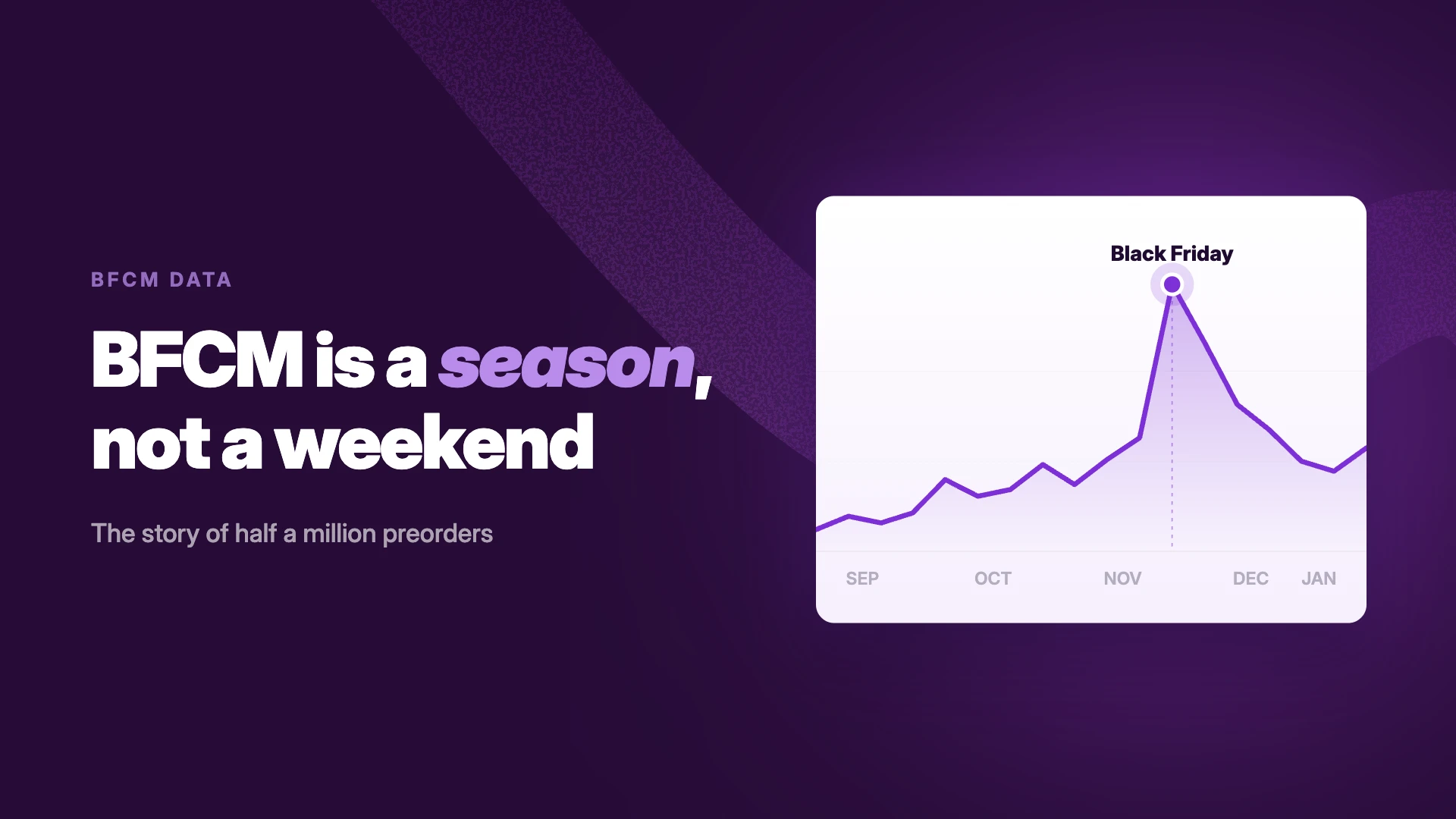
Most merchants prep their Shopify apps for BFCM the same week they write their Black Friday emails: mid-November. The data says that's about six weeks late. Across half a million preorders we tracked last season, demand was already running 70% above the September average by late October — a full month before Black Friday. (See the full demand data →)
And the ceiling keeps rising. Last BFCM, Shopify merchants sold $14.6 billion over the weekend, up 27% year over year, with 81+ million customers buying and sales peaking at $5.1 million per minute on Black Friday. More than 94,900 merchants had their highest-selling day ever.
BFCM 2026 runs November 27–30. Here are the 18 apps worth installing and testing now, organized by the seven jobs that matter most during the rush.
What to look for in a BFCM Shopify app
Four filters before you install anything:
- Load speed: Every script competes for the same page. Favor apps built on Shopify's theme extensions: no theme-file edits, minimal weight.
- Proven under load: BFCM traffic is 5–10× normal. An app that works at 100 orders a day needs to work at 1,000.
- Support during the rush: Check recent reviews for response times. You want answers in hours, not days, on Black Friday weekend.
- Honest pricing at volume: Watch for per-order fees and revenue cuts that balloon exactly when your sales spike.
Best Shopify apps for BFCM 2026: at-a-glance
1. Inventory, preorders & fulfillment
An out of stock product on Black Friday looks like a win in your dashboard. On the storefront, it's a dead button that sends buyers straight to a competitor. The apps in this section keep the sale alive when your inventory says no.
STOQ: Best for recovering lost sales and driving preorder revenue
What it does:
STOQ does two jobs in one app: back-in-stock alerts (email, SMS, and push) that recover sales when items run out, and preorders that let you sell the next batch before it lands. During BFCM that combination matters more than any other week of the year. Sellouts happen fast, and the demand doesn't wait for your restock.
Key features:
- Both jobs, one app: back in stock alerts and preorders (partial payments, discounts, scheduled charges), so a sellout flips to "preorder now" instead of a dead button.
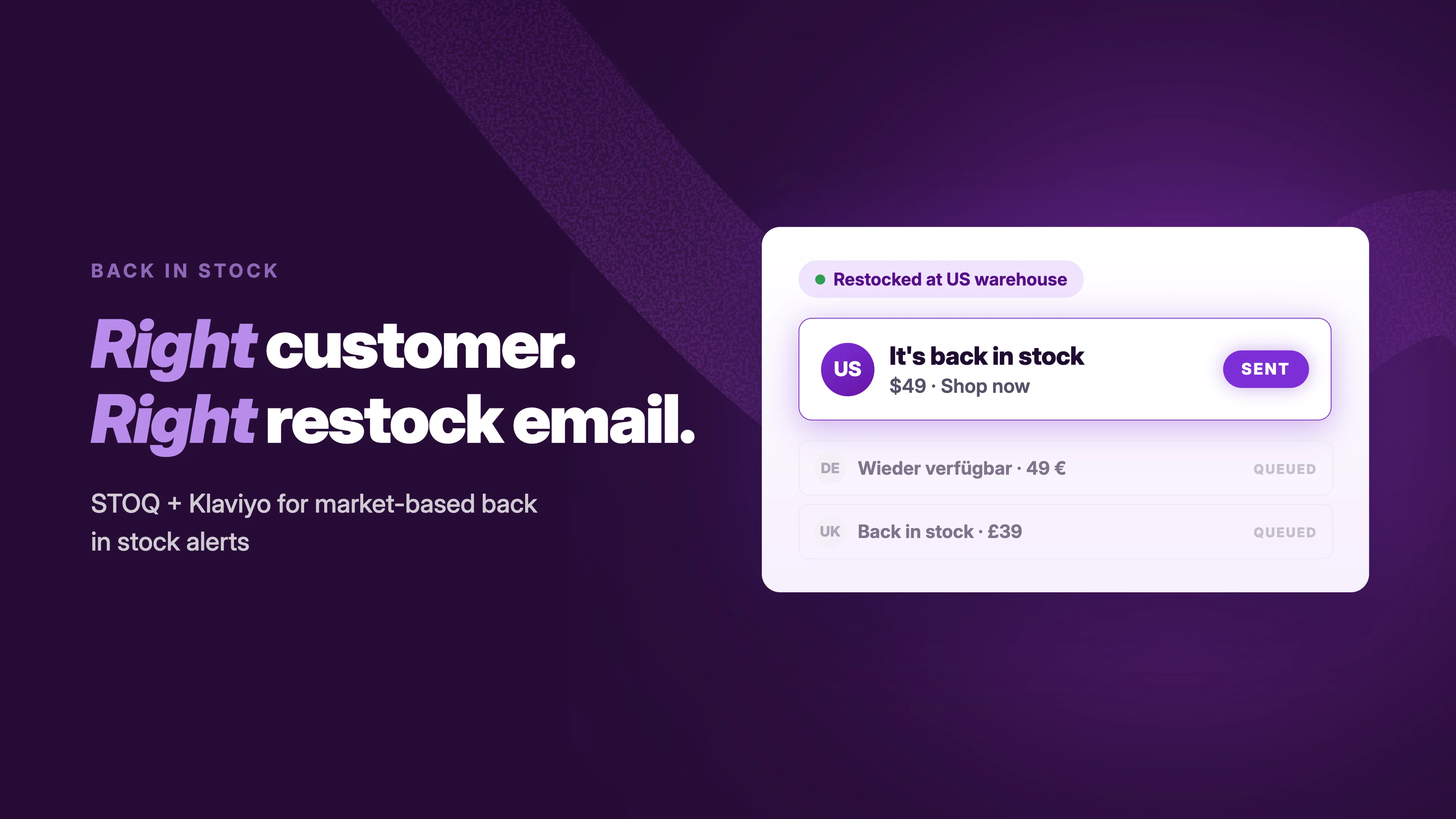
- Every channel: email, native SMS, and push, plus Klaviyo, Omnisend, Mailchimp, and Postscript hookups so restock campaigns run inside your existing flows.
- Shopify Markets support for both preorders and alerts. US shoppers aren't notified about an Australia-only restock.
- 0% transaction fees. Flat plans, no cut of your preorder or restock revenue, even when the weekend 10×es your volume.
- Per-product numbers on signups, conversions, and revenue, so you know what to restock first in December.
Price:
Free plan available. Paid plans from $10 to $69 per month.
Review score:
5.0/5 (3,800+ reviews) — Built for Shopify.
ShipStation: Best for shipping that keeps up with weekend volume
What it does:
When weekend volume 5×es, label printing and carrier rate-shopping become the bottleneck. ShipStation pulls orders from every channel into one queue, automates labels and tracking updates, and syncs order status back to Shopify.
Key features:
- Rate-shop across carriers automatically and print labels in bulk.
- Automation rules route orders by weight, destination, or SKU. Set them up in October, not mid-rush.
- Works with STOQ preorders, so scheduled-release orders land in the same fulfillment queue when stock arrives. (Running a 3PL? ShipBob works with STOQ too.)
Price:
From $14.99 to $349.99 per month, 30-day free trial.
Review score:
4.2/5 (706 reviews)
View ShipStation in the App Store →
FlexSync: Best for syncing and managing Shopify inventory with Google Sheets
What it does:
FlexSync connects your store with Google Sheets, so you manage products, inventory, prices, and other product data in bulk. During BFCM, that means updating fifty prices from a spreadsheet instead of editing products one by one in Shopify admin while the sale is live.
Key features:
- Two-way, real-time sync of products, inventory, prices, and product data between Shopify and Google Sheets.
- Bulk changes straight from Sheets, formulas included.
- Metafields and other store data managed from your spreadsheet.
Price:
Free plan (up to 500 SKUs). Paid plans from $9 to $49 per month, 14-day free trial.
Review score:
4.8/5 (20 reviews)
View FlexSync in the App Store →
2. Conversion boosters & upsells
Upsell and Cross Sell – Selleasy: Best for boosting AOV with pre- and post-purchase offers
What it does:
Selleasy helps you earn more from every customer through upselling and cross-selling, from product add-ons and bundle discounts to cart and checkout upsells.
Key features:
- Amazon-style "frequently bought together" bundles.
- One-click upsells on your "thank you" page, catching customers who've just purchased.
- Product add-ons embedded on product pages as lists, grids, or carousels.
Price:
Free for up to 50 orders a month. Paid plans from $9 to $29 per month.
Review score:
4.9/5 (2,724 reviews)
ReConvert Upsell & Cross Sell: Best for building custom thank you pages and targeted upsells
What it does:
ReConvert covers the whole upsell toolbox: product bundles, offers throughout checkout, and A/B tests that show which messaging actually converts.
Key features:
- AI-powered bundles, recommendations, and upsell offers on product and cart pages.
- One-click upsell offers immediately after checkout.
- Upsells during checkout (Shopify Plus only).
Price:
Free plan (up to 50 orders or $50 upsell revenue). Paid plans from $9.99 per month, 14-day free trial.
Review score:
4.8/5 (3,092 reviews)
Pop Convert: Best for capturing leads and promoting BFCM deals with popups
What it does:
Pop Convert adds popups and banners to your store. Use them to point customers at your best BFCM promotions, grow your email list, and catch shoppers on their way out.
Key features:
- Clickable "smart bar" banners for your BFCM deals.
- A dozen popup types, including exit-intent, email and SMS capture, and countdown timers.
- Drag-and-drop editor for customizing banners and popups.
Price:
Free for up to 1,000 unique visitors and 50 subscribers a month. Unlimited plan $15 per month.
Review score:
4.9/5 (8,752 reviews)
Testimonial: "Helped us significantly boost our conversion rate with precise targeting and A/B testing"
Libautech: Upsell & Bundle App
What it does:
Libautech Bundles & Upsell helps Shopify stores raise average order value with product bundles, volume discounts, BOGO offers, frequently bought together and cart upsells. Every offer can be customized to match the store’s theme.
Key features:
- Sell product add-ons under the buy button so shoppers add extras in one click.
- Upsell in the cart drawer and cart popup to grow orders before checkout.
- Create bundles, volume discounts, quantity breaks, BOGO and free gift offers.
Price:
Plans start at $9.99 a month with a 7-day free trial.
Review score:
4.9/5
View Libautech in the App Store →
3. Email & SMS marketing
Klaviyo: Best for launching personalized email campaigns at scale
What it does:
Klaviyo is the heavyweight of ecommerce email and SMS. Use it to build personalized campaigns around your best BFCM deals — email still returns between $10 and $36 for every $1 spent.
Key features:
- Segment your list on any piece of customer data and aim campaigns at exactly the buyers you pick.
- Automated campaigns for abandoned carts, back-in-stock, and product recommendations.
- Ready-made templates for welcome sequences, back-in-stock campaigns, price-drop notifications, and more.
Price:
Free for up to 250 contacts and 500 monthly email sends. Paid plans from 20permonthforemail(15 for SMS).
Review score:
4.7/5 (3,326 reviews)
Postscript: Best for running automated SMS and abandoned cart campaigns
What it does:
Postscript grows your SMS list and sends personalized text campaigns. When Cyber Weekend arrives, it puts targeted offers in the one inbox everyone checks, and its abandoned-cart sequences claw back revenue that email can't reach in time.
Key features:
- Grow your SMS list with website popups, checkout collection, and shareable landing page links.
- Automated cashback-based SMS opt-in incentives for extra signups.
- Personalized messaging based on historical Shopify customer data.
Price:
Starter free to install ($49/month minimum). Growth $100/month, Professional $500/month, plus SMS/MMS and carrier fees.
Review score:
4.7/5 (1,207 reviews)
Omnisend: Best for email + SMS without the enterprise bill
What it does:
Omnisend covers email and SMS in one app with pre-built BFCM automations for welcome, abandoned cart, and post-purchase. One app doing both jobs means fewer scripts on your pages and one bill instead of two.
Key features:
- Pre-built ecommerce automations and BFCM-ready templates. Live in an afternoon.
- Email and SMS sent from the same audience segments.
- STOQ hands restock and preorder events straight into Omnisend flows, so back-in-stock campaigns run in the tool you already use.
Price:
Free plan available. Paid plans from $16 per month.
Review score:
4.7/5 (3,183 reviews)
4. Social proof & UGC
Yotpo: Best for automatically capturing customer reviews
What it does:
Yotpo collects customer reviews and puts them where they convert: product pages, search engines, and social.
Key features:
- Review collection on autopilot with email and SMS request sequences.
- Your best reviews displayed wherever your shoppers are — your store, Google, Meta.
- On-site review widgets styled to match your store.
Price:
Free for up to 50 monthly orders. Paid plans from $15 to $119 per month.
Review score:
4.8/5 (4,627 reviews)
Judge.me: Best for building trust fast with gift shoppers
What it does:
Judge.me is the highest-rated review app on the App Store: 5.0★ across 47,000+ reviews. Photo and video reviews, review carousels, and Google Shopping rich snippets. Gift shoppers buying from unfamiliar brands lean on proof harder than anyone, so stock the shelf in October.
Key features:
- Unlimited review requests with photo and video, on every plan.
- Rich snippets that put your stars in Google Search and Shopping results.
- Syncs with STOQ, so review requests and restock flows don't trip over each other.
Price:
Free plan available. Awesome plan $15 per month.
Review score:
5.0/5 (47,259 reviews)
View Judge.me in the App Store →
5. Loyalty, rewards & retention
Smile.io: Best for retaining new customers post-BFCM
What it does:
Attracted a wave of new customers with your BFCM promotions? Keep them coming back by launching a loyalty and rewards program with Smile.
Key features:
- Points-based rewards for repeat purchases, social shares, and reviews.
- A dedicated landing page to promote your loyalty program and collect signups.
- Checkout and product page widgets showing how many points a purchase earns.
Price:
Free plan available. Paid plans from $15 to $199 per month.
Review score:
4.9/5 (4,604 reviews)
Recurpay Subscriptions: Best for boosting loyalty through subscriptions
What it does:
Another way to keep BFCM customers is to sell subscriptions alongside — or in place of — one-off purchases. Customers get the convenience of knowing their next order is sorted; you get repeat revenue you can plan around.
Key features:
- Prepaid and pay-as-you-go subscriptions, configured in minutes.
- A customer portal to edit, skip, pause, or cancel anytime.
- Multicurrency with automatic price syncing, and 0% transaction fees.
Price:
Free plan available. Paid plans $9 (Launch) to $19 (Growth) per month, 14-day free trial.
Review score:
5.0/5 (565 reviews)
6. Landing pages & store optimizers
GemPages: Best for building BFCM landing pages fast
What it does:
GemPages builds BFCM landing pages and deal hubs with drag-and-drop and AI-assisted layouts. No theme surgery required.
Key features:
- Drag-and-drop editor with a large BFCM-ready template library.
- Deal-hub and campaign pages that don't touch your theme files.
- Works with STOQ out of the box, so restock-alert and preorder buttons render correctly on custom-built pages. Check whatever builder you use for this before November.
Price:
Free plan available. Paid plans from $29 to $199 per month.
Review score:
4.9/5 (4,240 reviews)
PageFly: Best for building and A/B testing landing pages
What it does:
PageFly is a no-code landing page builder with built-in A/B testing, so you learn which pages and sections actually convert instead of guessing.
Key features:
- 320+ pre-designed templates to start from, then customize with the drag-and-drop builder.
- A/B testing with traffic allocation per variant, winning metrics, and scheduled tests for seasonal campaigns.
- Countdown timers, trust badges, and other conversion elements built in.
Price:
Free for one published page or section. Paid plans from $24 to $299 per month.
Review score:
4.9/5 (5,894 reviews)
7. AI & personalization
Boost AI Search & Filter: Best for helping shoppers find your top deals and products
What it does:
The longer it takes shoppers to find what they're looking for, the less likely they are to buy. Boost upgrades your site search and product filtering so deal-hunters get to the right product in two clicks.
Key features:
- AI-powered search that returns relevant results, not keyword roulette.
- Product recommendations on your homepage, product pages, and cart.
- Pin, boost, demote, or hide products in search results to spotlight bestsellers and top deals.
Price:
From $29 to $699 per month, 21-day free trial.
Review score:
4.7/5 (1,632 reviews)
Octane AI Quiz Maker: Best for sharing personalized product recommendations
What it does:
What's the best way to give customers truly personal product recommendations? Simple: ask them. Octane does this with an AI-powered quiz builder.
Key features:
- Product recommendations generated automatically from a shopper's quiz answers.
- First quiz live in minutes with the drag-and-drop builder, zero code.
- An AI assistant that drafts questions, answers, and logic flows from your products and customer behavior.
No free plan here — at $50/month minimum it's a considered purchase, best for stores where "which one should I buy?" is a real question (gifts, skincare, supplements).
Price:
From $50 to $500+ per month, free trial available.
Review score:
4.7/5 (207 reviews)
Your BFCM 2026 timeline
Based on our preorder data (Sep 2025–Jan 2026):
- Late September: install and configure your stack. Run the BFCM preparation checklist.
- Early October: demand starts climbing. Restock alert signups are your earliest demand signal. Launch seasonal preorders for anything that might sell out.
- Late October: volume runs ~70% above the September baseline. Final load tests; lock your email flows.
- Nov 27–30: Black Friday week peaks at ~3.6× baseline. Watch for sellouts; every out-of-stock page should be collecting signups or taking preorders.
- December: demand settles 20–25% above baseline. Restock and notify — the season doesn't end on Cyber Monday.
Final thoughts
You don't need 18 apps. You need the right app for each job you actually have, installed early enough to trust it under load. But whatever else you pick, don't head into the biggest sales weekend of the year with a store that goes silent the moment a product sells out. That's the one failure mode you can fully remove in an afternoon.
Ready for BFCM? Install STOQ free from the App Store →
Already using STOQ? Get your store ready with the BFCM preparation checklist.
Frequently asked questions
When should I start preparing for BFCM 2026?
Early October at the latest. Across half a million preorders we tracked last season, demand in late October was already 70% above the September baseline, four weeks before Black Friday. Install and test your apps in late September or early October so everything is proven under load before demand arrives.
How many apps should I install for BFCM?
There's no hard-and-fast limit, but prioritize apps that solve specific pain points for your store and customers. For instance, if you're worried about losing revenue to stockouts, choose an app like STOQ to add back-in-stock functionality.
Can apps slow down my site?
Yes, installing apps can slow down your site, because a lot of apps add extra code when you install them. Favor apps built on Shopify's theme extensions, and as a general rule, don't install an app unless you're confident it'll save you time or make you money. If you're no longer using an app, uninstall it before November.
What's the best way to test BFCM apps before the rush?
Install them ahead of time — by mid-October 2026 at the latest — and test the specific functionality you're planning to use in your BFCM campaign. For example, if you're planning to set up back-in-stock notifications, add a "Notify Me" button to your out-of-stock product pages in advance.
What are the must-have Shopify apps for a successful BFCM?
There are plenty of apps to boost your chances of success this BFCM. But in our view, the best options are:
- STOQ, for recapturing lost revenue due to stockouts
- Klaviyo, for sharing targeted BFCM promotions with email subscribers
- Judge.me, for building trust through social proof
How do I prepare my Shopify inventory for BFCM to avoid running out of stock?
Accurate demand forecasting is the core of it, and that's tough for new stores and new product lines. Our preorder demand data shows demand builds through October, so watch your early signals. And minimize the damage of a stockout by using STOQ to add a "Notify Me" button to out-of-stock product pages, so customers hear the moment it's back.
Can I keep selling when products are out of stock during Black Friday?
Yes, two ways. Shopify's "Continue selling when out of stock" checkbox lets orders through, but it risks selling inventory you can't fulfill. The safer play: back-in-stock alerts capture the demand and notify buyers the moment you restock, and preorders let customers buy immediately against your next batch with clear ship dates. STOQ does both, so a sellout becomes a waitlist or a preorder instead of a support headache.
How do preorder and back-in-stock apps affect customer experience during BFCM?
They turn a dead end into a promise. Shoppers register for notifications on out-of-stock products and get told the moment the item returns, so they come back and buy instead of writing you off.

Ram leads SEO at Artos Software, optimizing discoverability for STOQ and our portfolio of Shopify apps across Google, AI search, and LLMs.